

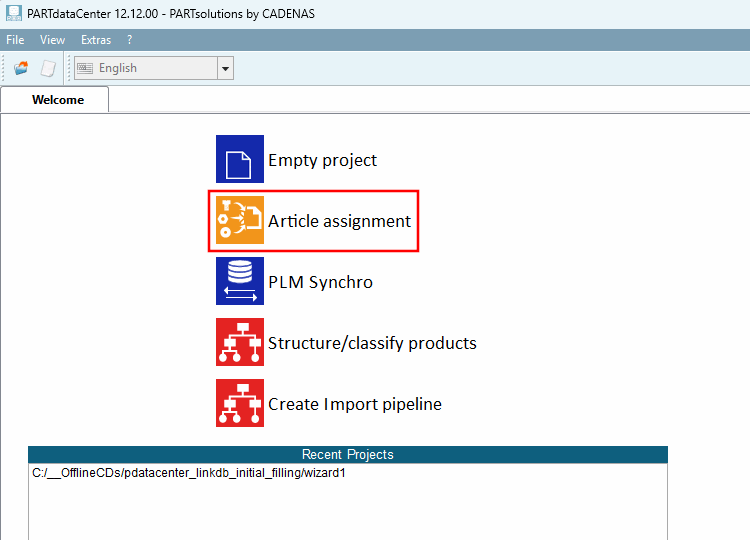
- 1.1.1. Start
- 1.1.2. User interface and processes at a glance
- 1.1.3. Create catalog from CSV file
- 1.1.4. Manual assignment
- 1.1.5. Dimension search (with "Article Assignment Wizard" for standard parts)
- 1.1.6. Part Number Search (using the "Article Assignment Wizard" for manufacturer parts)
- 1.1.7. Dimension search - Automatic assignment based on standard information such as standard number, dimension, material, etc. (old method)
- 1.1.8. Part Number Search - Automatic assignment based on the manufacturer's part number (old method)
- 1.1.9. Mappings Check
- 1.1.10. Validate Mappings
- 1.1.11. Links Export to CSV file
- 1.1.12. Attribute mapping
- 1.1.13. Global text mapping
- 1.1.14. LinkDB export (directly or via CSV file)
- 1.1.15. LinkDB Import
- 1.1.16. Functions, settings and symbols
Would you like to display data such as article number, description texts, release status, material, surface, stock, prices, etc. from your ERP and PDM system in 3Dfindit / PARTdataManager?
This data must then be linked to the corresponding standard and purchased parts in the PARTsolutions LinkDB.
ERP/PDM system are able to export article data in the form of a CSV file.
The PARTdataCenter module can then automatically create the link between PARTsolutions characteristic attribute table and the corresponding CSV information. The percentage of data that can be processed automatically depends on the data quality. You can use various filters to display all products that have not yet been clearly assigned and process them in a targeted manner. The user interface is also designed so that links can also be created manually if required.
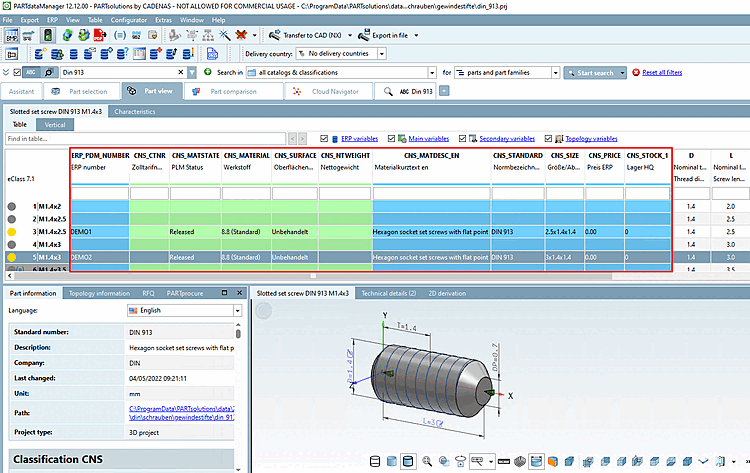
Exemplary result in PARTdataManager. Although the ERP number column is the most important identifier, any amount of information from third-party systems such as description, material, price, stock, etc. can be displayed after appropriate preparation of the LinkDB.
These are the most important sections for a first introduction:
Dimension search from A to Z (without "Optional settings ...")
Customer administration, ERP consultant
![[Important]](https://webapi.partcommunity.com/service/help/latest/pages/jp/partsolutions_admin/doc/images/important.png)
Important To conduct an article assignment the CSV file has to contain certain attributes. The following list gives an overview. (Not all attributes are required necessarily.)
Dimensions (e.g. M10x30)[a]
These are always required to find the adequate line in the assigned project.
Any amount of additional data from the third-party system can be included can.
This additional information is not relevant for the assignment.
[a] Generally: Specific parameters to determine the characteristic
![[Note]](https://webapi.partcommunity.com/service/help/latest/pages/jp/partsolutions_admin/doc/images/note.png)
Note Information on standard number, dimension, material, order number, etc. can be part of one single column as well.[a] Nevertheless, with the help of automatically running recognition algorithms mostly an assignment is possible.
If the information does not follow a recognizable rule, the article number assignment is connected with additional effort, since the decisive data is either entered in a pre-process or within PARTdataCenter by means of regular expressions[b] must be separated.
[b] You can find an example of this at Section 1.1.8.2, “ Article number search with regular expression”.
LinkDB connection must be possible. As an alternative, product assignments / link information can be saved in a CSV file in an intermediate step and later be imported into the LinkDB.
The PARTsolutions target catalog has to be installed (for the following examples mostly the Standards catalog).