1.1.7.
Dimension search - Automatic assignment based on standard information such as standard number, dimension, material, etc. (old method)
1.1.7.2. Optional settings in the "Class filter " node (data in a field) |  |
| Prev | Next |
If all decisive data are in separated columns, a unique assignment is very simple.
The additional options explained here are particularly helpful if the core data (and possibly other additional data) are all in one field.
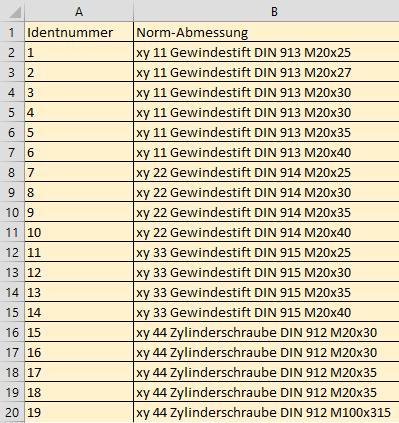
Identnummer;Norm-Abmessung
1;xy 11 Gewindestift DIN 913 M20x25
2;xy 11 Gewindestift DIN 913 M20x27
3;xy 11 Gewindestift DIN 913 M20x30
4;xy 11 Gewindestift DIN 913 M20x30
5;xy 11 Gewindestift DIN 913 M20x35
6;xy 11 Gewindestift DIN 913 M20x40
7;xy 22 Gewindestift DIN 914 M20x25
8;xy 20 Gewindestift DIN 914 M20x30
9;xy 20 Gewindestift DIN 914 M20x35
10;xy 20 Gewindestift DIN 914 M20x40
11;xy 33 Gewindestift DIN 915 M20x25
12;xy 33 Gewindestift DIN 915 M20x30
13;xy 33 Gewindestift DIN 915 M20x35
14;xy 33 Gewindestift DIN 915 M20x40
15;xy 44 Zylinderschraube DIN 912 M20x30
16;xy 44 Zylinderschraube DIN 912 M20x30
17;xy 44 Zylinderschraube DIN 912 M20x35
18;xy 44 Zylinderschraube DIN 912 M20x35
19;xy 10 Zylinderschraube DIN 912 M100x315
20;xy 10 Zylinderschraube DIN 912 M10x50
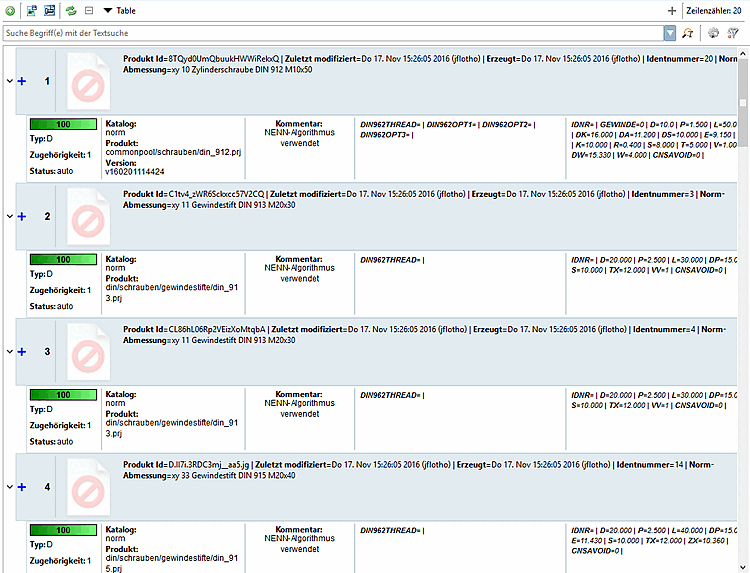
Automatic assignment is not possible without intelligent additional settings.
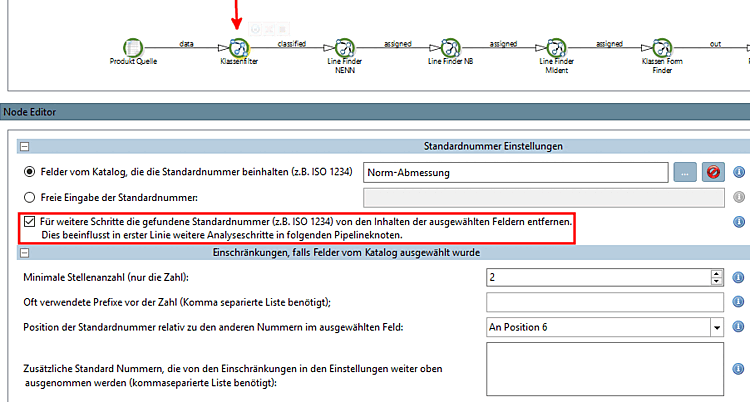
The following additional settings in the class filter [Class Filter] node are used to obtain clear assignments despite certain difficulties:
Free entry of the standard number [Free input of Standard number]: This option is suitable for manual, step-by-step assignment. One standard at a time.
For further steps, remove the standard number found (e.g. ISO 1234) from the contents of the selected fields. This primarily influences further analysis steps in the following pipeline nodes: [Remove found Standard number (e.g. ISO 1234) from selected fields for further steps in pipeline]
In the example, DIN 913 is removed after a hit, which makes the next analysis step (= finding the correct dimension M20x30) easier.
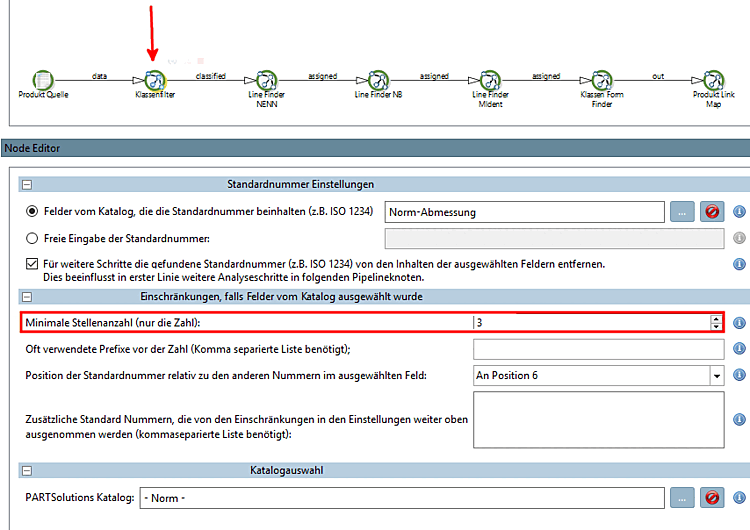
Minimum number of digits (only the number) [Minimum length of the number (only the number)]:
In the example two-digit numbers such as 11 for example are not suitable, because the value for minimum length of number is 3. So the class can be identified more clearly.
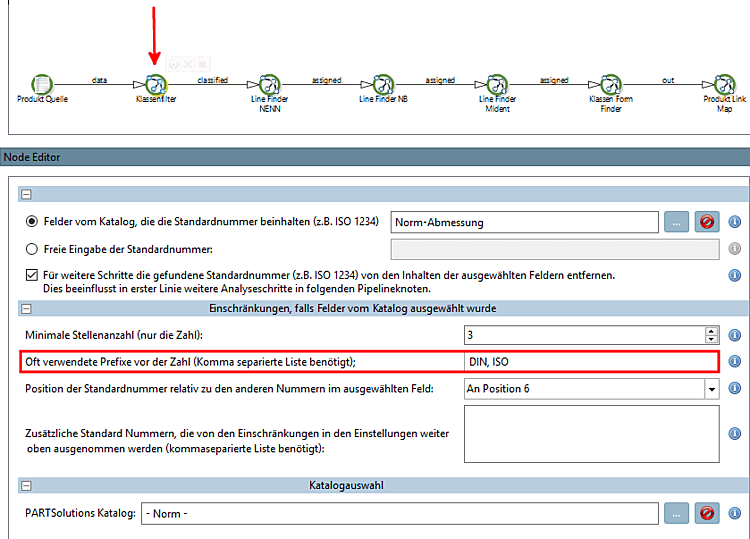
Frequently used prefixes before the number (comma-separated list required); [Often used prefixes before number (use comma separated list)]:
In the example the class "DIN 913" can clearly be identified by the prefix "DIN".
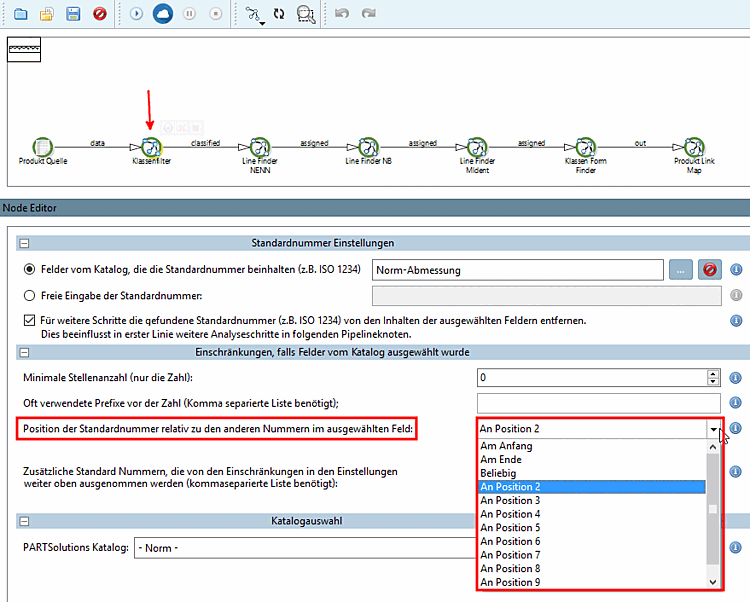
Position of the standard number relative to the other numbers in the selected field [Position of the Standard number in the selected field relatively to the other numbers in the field]:
In the example the class has been identified by position "2", which makes it unique.
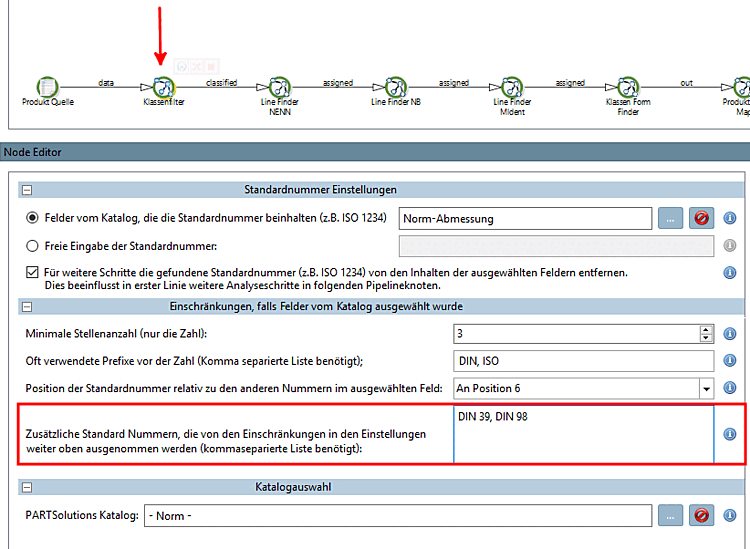
Additional standard numbers that are excluded from the restrictions in the settings above (comma-separated list required) [Additional Standard numbers ignoring the restrictions in the settings above (use comma separated list)]:
If, for example, Minimum number of digits (only the number) [Minimum length of the number (only the number)] is set to the value 3, then DIN 39, DIN 98, etc. can be explicitly specified here in order to include them in the process again.




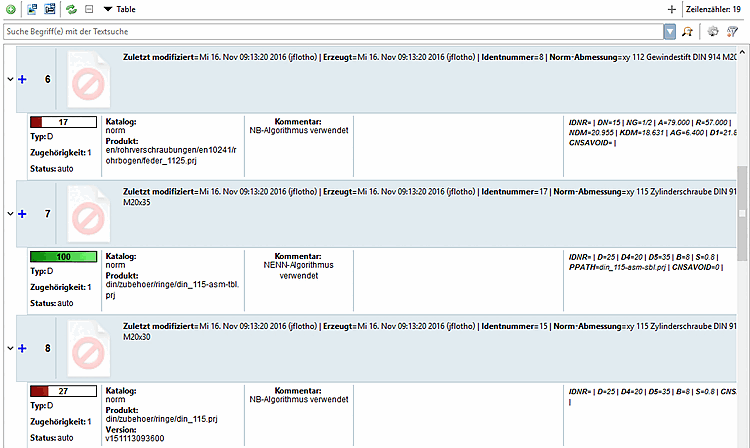
With the use of above setting options an unique assignment is possible.