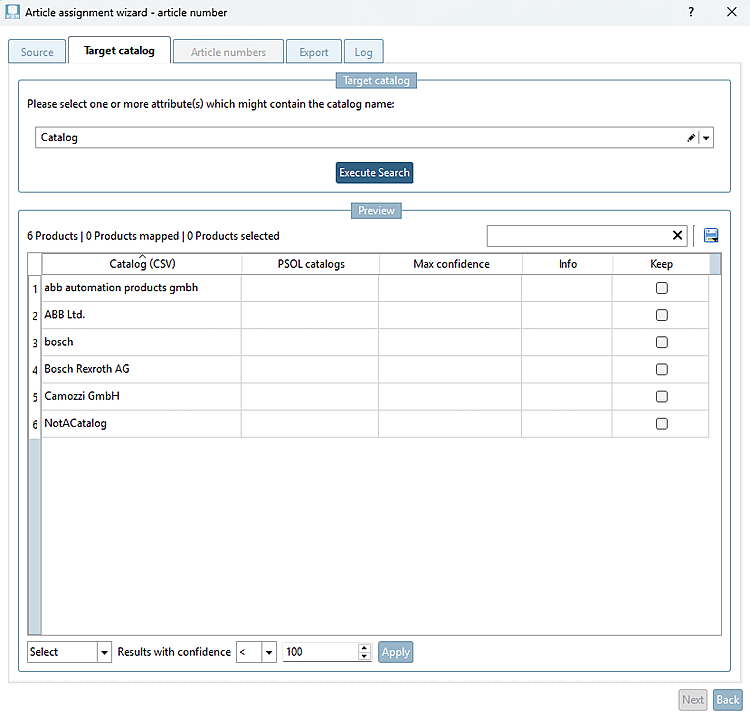
The goal is to specify in which (PSOL) catalog(s) an item number should be searched for.
Select one or more attributes that might contain the catalog name from the drop-down list.
-> The search is performed across all currently available catalogs (all catalogs that can be downloaded from PARTadmin), with the exception of the standard parts catalog.
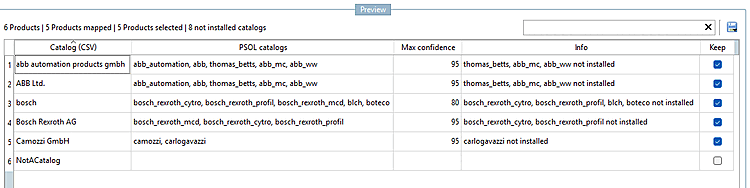
The preview shows the results:
Catalog (CSV) [Catalog (CSV)]: Value of the selected attributes
PSOL catalogs [PSOL catalogs]: Comma-separated list of possible matching catalogs
Max confidence [Max confidence]: The algorithm's confidence level that the best match is the correct catalog.
Info: References to directories that are not installed (for example)
Keep: Checkboxes for specifying which products should be included in the next tab. They are automatically preselected based on the search results. It is not active if no catalog could be found for the search term (within a reasonable confidence level) or if none of the found catalogs are installed. The user can manually select or deselect these checkboxes.
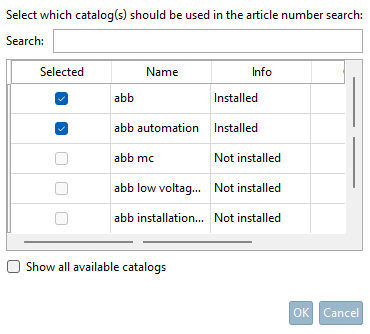
Double-clicking a table cell in the PSOL catalogs column opens a catalog selection window.
You can manually select or deselect installed catalogs. If multiple rows have the same entry in Catalog (CSV) , the change will be applied to all of those rows.
For quick and easy selection (when there are many entries in the preview), products can be selected in bulk using the widget at the bottom of the page.
The preview table can be filtered using the input field at the very top of the table.
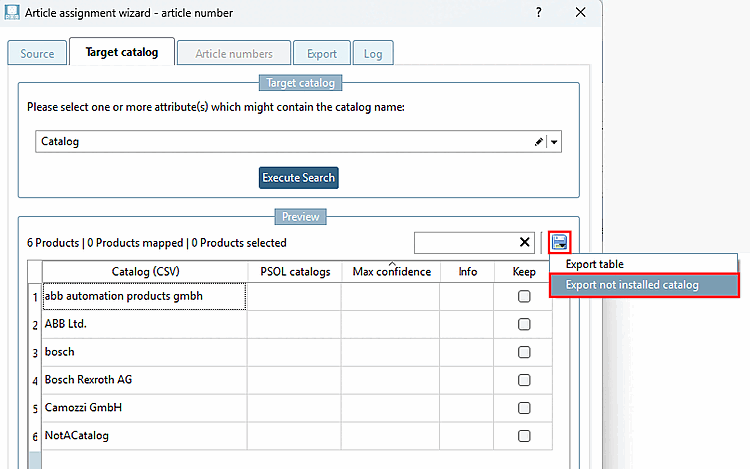
The list of uninstalled catalogs can be exported as a CSV file by clicking the floppy disk icon above the table and selecting " Export uninstalled catalogs [Export not installed catalog]."
The contents of the preview table can also be exported as a CSV file by clicking the floppy disk icon above the table and selecting " Export table."
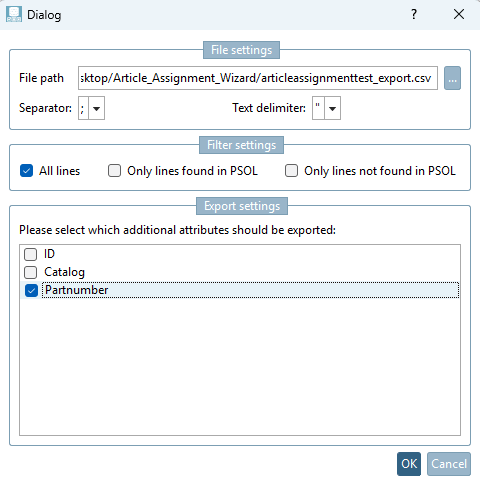
Various configuration options are available for export. You can specify whether all rows, only the rows found, or only the rows not found should be included in the CSV file.
In addition, you can specify which attributes (beyond the information displayed in the preview) should be exported.