
 |
The Search for unmachined parts detects fitting unmachined parts for the production of finished parts or finished parts which can be produced from a certain unmachined part.
An engineer is looking for a special flange. Then he wants to search for already existing unmachined parts, from which the flange can be produced, in order to avoid the redundant creation of a new unmachined part (material master). This process is very time consuming, because the parts have to be overlaid in the CAD one after another
With PARTsolutions Search for unmachined parts this can be solved much quicker.
The search detects, whether a part is completely contained in another part: The finished part has to be smaller than the unmachined part, so that it can be produced by removing wasted material. As soon as the extensions of the finished part exceed the ones of the unmachined part only at a certain point, it cannot be used at all or at least badly.
The search calculates the volume of the material to remove (waste). The less material to remove, the higher the ranking in the result list, because this criterion is determining for the manufacturing costs.
Search for unmachined parts in the Standard Search methods area
When searching with one single search part, the Search for unmachined parts can now, as of V10.00 SP0, be called up from the standard search methods area.[36]The advantage is that it can be combined with other methods such as Full-text search, Variables search or Topology search).[37]
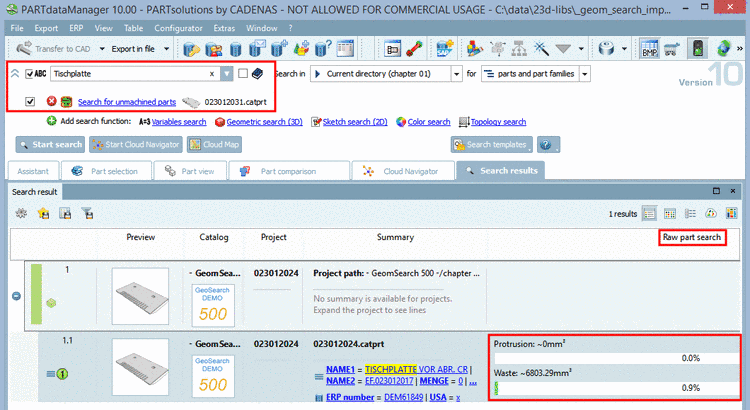
In the column Search for unmachined parts, Protrusion and Waste are displayed, both in absolute and percentual values.
Protrusion: Missing volume in the unmachined part (compare settings dialog: Accepted error in finished part)
Waste: Waste volume of the unmachined part (compare settings dialog: Maximum waste in unmachined part)
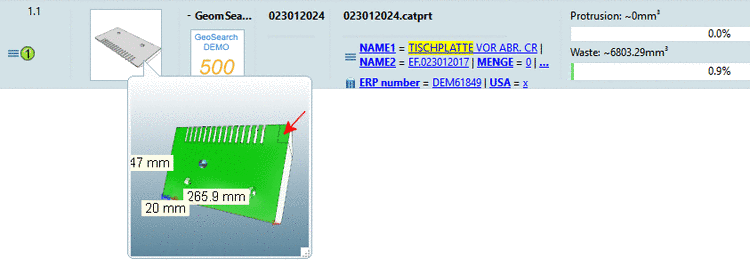
With mouseover at the preview image, a 3D-preview is displayed.
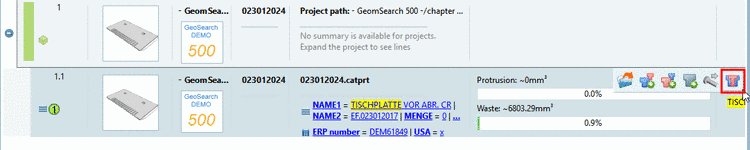
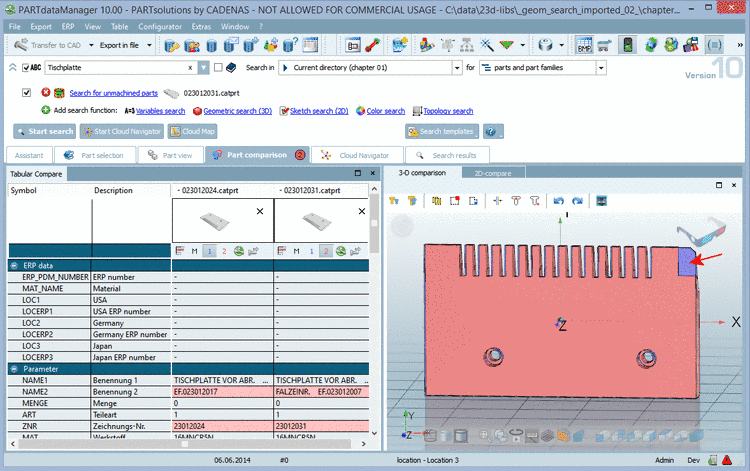
When clicking on the button Compare unmachined part with finished part the parts are opened in the Part comparison.
In the part comparison you have many different 3D comparison methods available. With appropriate selection the differences (Waste oder Protrusion) become visible at a glance. Details on this are found under Section 3.1.6.10.3, “ 3D comparison ” in PARTsolutions - User manual.
The Search for unmachined parts has the same features as all the others too. Save search results in favorites, Managing search in search templates, etc.
When clicking on
the icon Search for unmachined parts  the same-named dialog box opens.
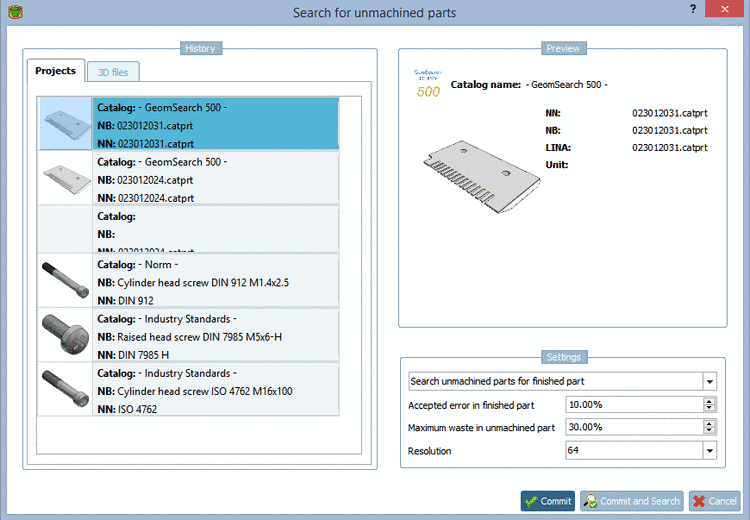
On the left side under History select the desired search part.
Accepted error in finished part
The error is caused by missing material at the unmachined part.
Maximum waste in unmachined part
The maximum waste defines how much material may be removed from the unmachined part.
Resolution: (16 | 32 | 64 | 128)
The resolution controls the search quality. When choosing a higher resolution more details are gathered, however, the search lasts a little bit longer.
[36] When searching with many parts the report is important further on. On this see Section 3.1.13.3, “ Unmachined / Finished part report ” in PARTsolutions - User manual.
[37] The combination with Geometric search (3D), Sketch search (2D) and Color Search is not possible.