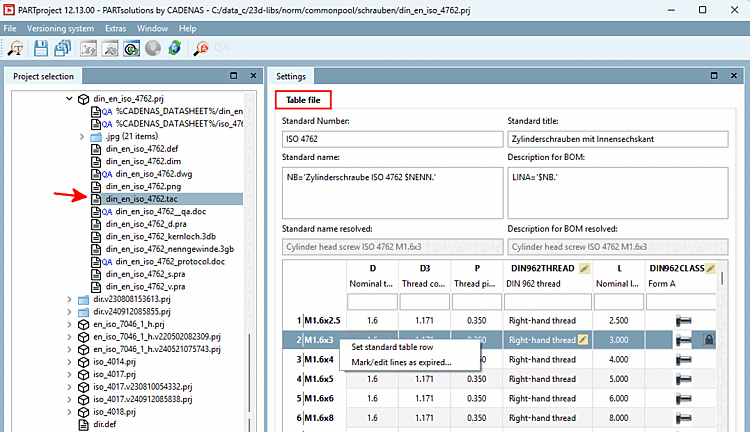
Various EOL statuses can now be set in PARTproject:
To set End of Life phases, proceed as follows:
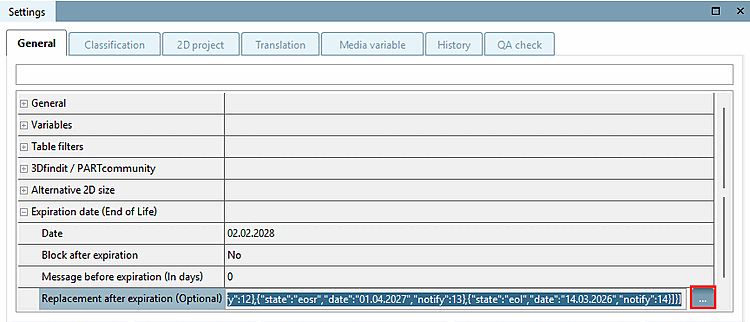
In the Replacement after expiry (optional) [Replacement after expiration (Optional)] line, click on the button.
-> The Define replacement projects dialog box opens.
For example, select Empty template(phases) and edit the date ("date") and the lead time for a corresponding notification ("notify") for the individual statuses.
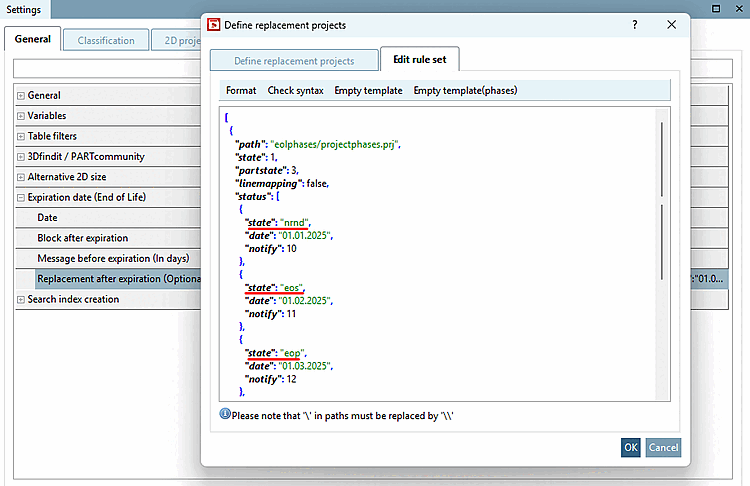
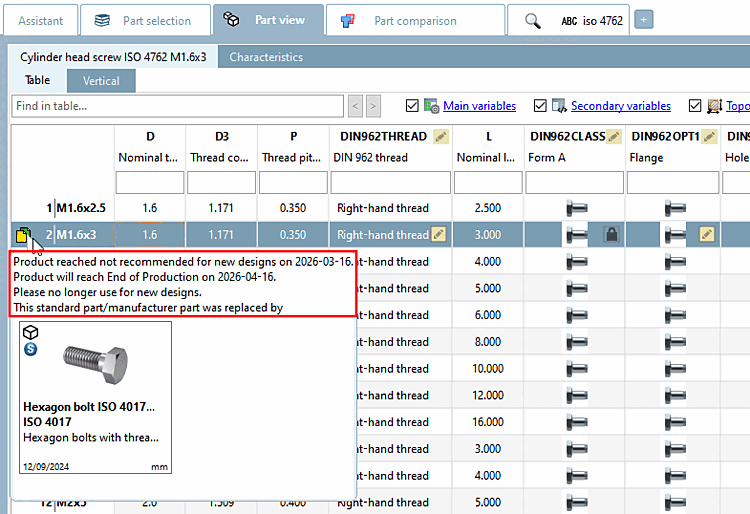
Texts, both in tooltips and in dialogs, are displayed according to the respective active EOL phase(s). This can also lead to time overlaps and multiple displays.
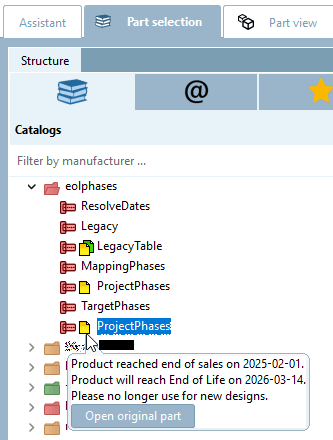
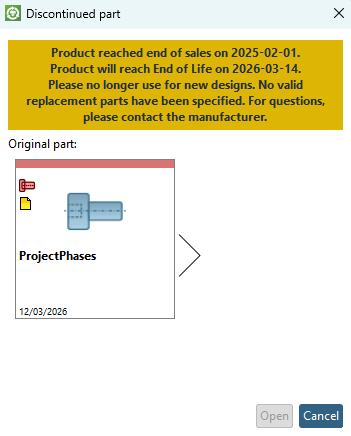
The
different texts are eol.cfg set in the configuration file. See Section 1.7.5.5, “
eol.cfg and eolphases.def
” in ENTERPRISE 3Dfindit (Professional) - Administration.
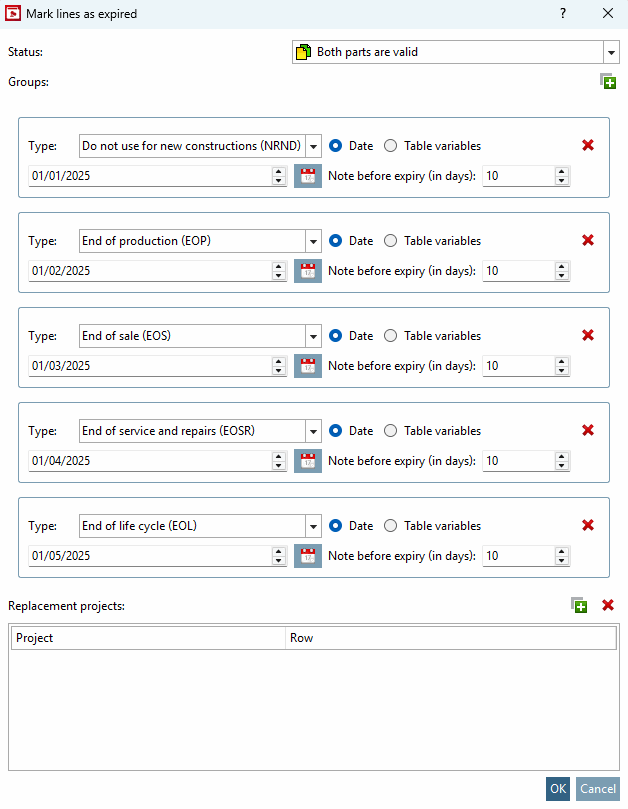
Setting EOL (End of Life) information line by line was previously only possible for the end status (EOL). Different EOL phases can now be defined:
In the table, call up the context menu command Mark rows as discontinued/edit... [Mark/edit lines as expired...] in the table.
The Groups block is new: Here you can create the individual groups via the plus sign and make the settings for the EOL phase.
The data of the relevant EOL phases are displayed in the tooltip.