
 |
The command is simply an intermediate step! The use of this command means that in the Database user window, the displayed user is now recorded in PARTsolutions. The corresponding user then shows up in the User window.[7]
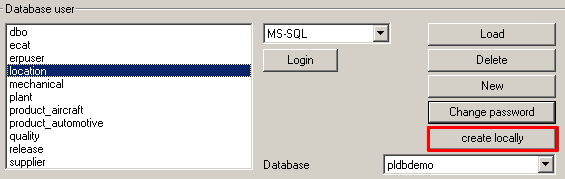
This has exactly the same effect as the button in the User-Role assignment area. If you apply users via you must also assure that the corresponding user also exists in the database.
![[Note]](https://webapi.partcommunity.com/service/help/latest/pages/jp/partsolutions_user/doc/images/note.png) | Note |
|---|---|
Users are only recorded in PARTsolutions and are not allocated in the database system via this dialog. | |
[7] Database users are saved in PARTsolutions in in the configuration file under %CADENAS%/setup/plinkusers.cfg. (For special cases PLDBDEMO under %CADENAS%/setup_pldbdemo/plinkusers.cfg)