

Parts in an assembly can be defined as tool bodies [Tool body] in the properties of the part [Part properties]. This allows them to be shown or hidden when you click on Show auxiliary geometry [Auxiliary geometry display].
First define a component as a tool body [Tool body] by right-clicking in the configurator [Configurator] > Properties.
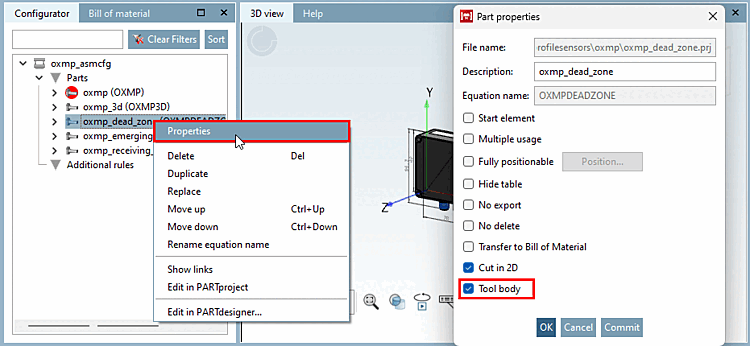
 Auxiliary geometry
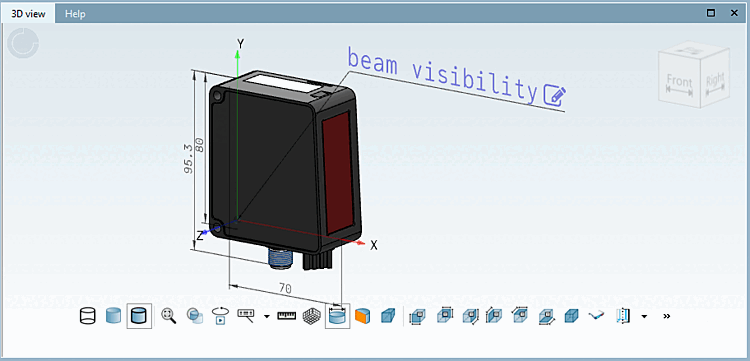
show [Show auxiliary geometry]:
Auxiliary geometry
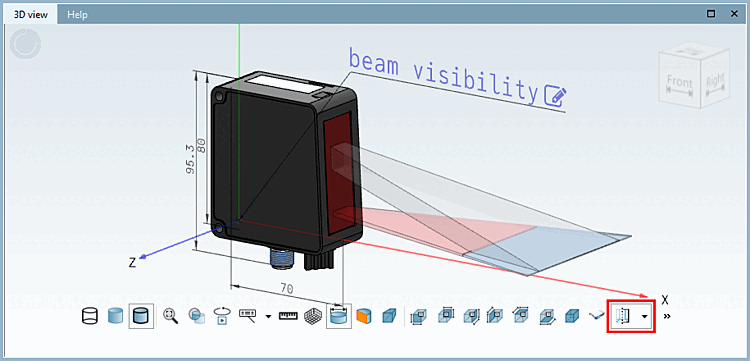
show [Show auxiliary geometry]:
Display or hide the auxiliary geometry in the 3D view. Tool bodies [Tool body] are also shown and hidden.
In the Section 7.13.5.2, “Context menu "Parts" - Insert part... ” in eCATALOG 3Dfindit you will find detailed information on the functions of the context menu.