

When editing a sketch in PARTdesigner, you can now define a line as the rotation axis using the key combination CTRL + R.
The key combination only works if the line/edge is highlighted in red and the Edit element window is open.
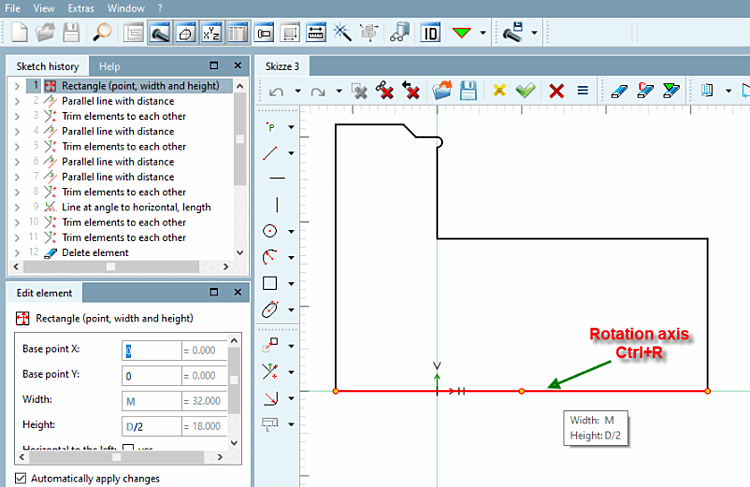
Further information on the rotation axis can be found in the Section 7.9.6.2, “ Rotation axis ” in eCATALOG 3Dfindit chapter.