
7.7.1.2. Call within a component 7.7.1.2.3. Context menu on a component with a curved surface |  |
| Prev | Next |
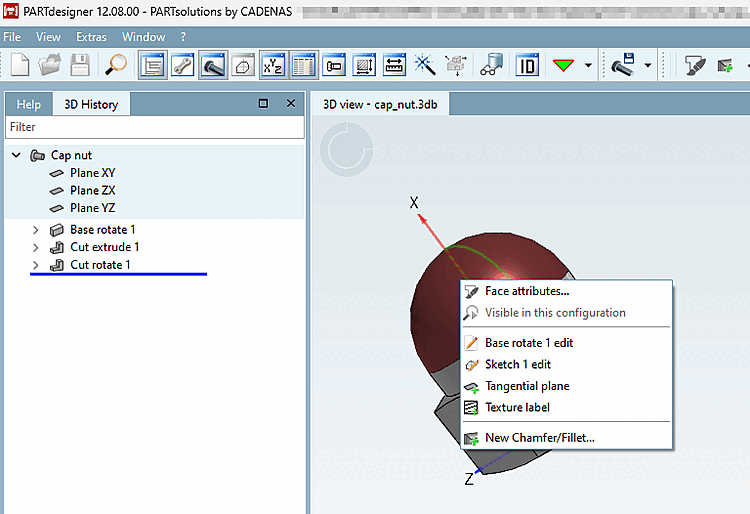
Area attributes [Face attributes]
Area attributes can be displayed & created / edited. Here you will find a detailed description of the function: Area attributes
Allows you to edit the basic areas. Here you will find detailed information on the basic functions: Extrude / Rotate / Edit
Creates a plane on a rounded shape. You can find a detailed description of the function here: Tangential plane
Creates a texture on the component. You can find a detailed description of the function here: Texture Label
Create new chamfer/rounding... [New Chamfer/Fillet...]
Creates a new chamfer or rounding on the selected surface. You can find a detailed description of the function here: Create rounding or chamfer