
Below the menu bar you will find the standard toolbar and the export toolbar with the following buttons:
 New: See Section 7.18.1, “
New
”.
New: See Section 7.18.1, “
New
”. Open: See Section 7.18.4, “
Open
”.
Open: See Section 7.18.4, “
Open
”. Save: See Section 7.18.5, “
Save or Save as..”.
Save: See Section 7.18.5, “
Save or Save as..”.
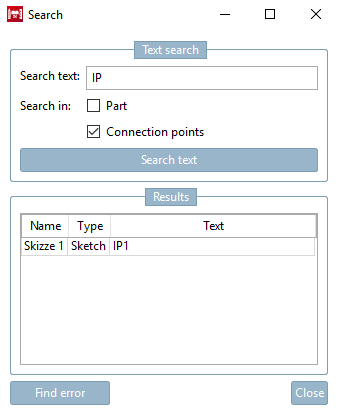
 Search for features and/or connection points in part/sketch
Controlling the docking windows (show and hide)
 dimensions [Dimensionings]:
See Section 7.16, “
Docking window "Dimensions "
”.
dimensions [Dimensionings]:
See Section 7.16, “
Docking window "Dimensions "
”.
 trade fairs [Measure]:
See Section 7.7.3.2, “
Measuring 3D parts
”.
trade fairs [Measure]:
See Section 7.7.3.2, “
Measuring 3D parts
”.
 component
compare [compare part]: See Section 7.17, “Docking window "3D comparison"
”.
component
compare [compare part]: See Section 7.17, “Docking window "3D comparison"
”.
 Assemble assemblies
automatically [Connect assemblies automatically]
Assemble assemblies
automatically [Connect assemblies automatically]
 Check part [Test part]: See Section 7.24.2, “
Test part
”.
Check part [Test part]: See Section 7.24.2, “
Test part
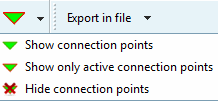
”.Connection points: Selection list to show or hide existing connection points in the component or to show only the active connection points
Export to file [Export in file]: See Section 2.1.8, “ Transfer to CAD (with and without interface) ” in PARTsolutions - User.