

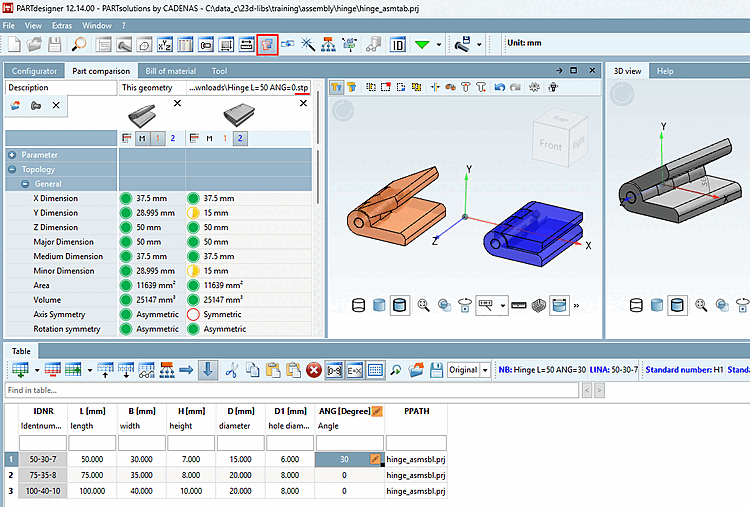
With the 3D comparison, you can compare two parts in a 3D view (and in a table).
You will need
any *.3db file of a component and the
Comparison model as STEP file. Other file formats can be
cannot be used.
To compare the two files with each other, proceed as follows:

The following commands are available in the upper-left corner:
 load 3D file [Open 3D file...]:
Here you can load more step files. With the assignment as 1.
or 2nd project, the part is displayed in the 3D comparison.
load 3D file [Open 3D file...]:
Here you can load more step files. With the assignment as 1.
or 2nd project, the part is displayed in the 3D comparison.
 Current geometry
load/update [Load/update current geometry]: For example, if you have the
Table row changed, you can preview the parts comparison
update.
Current geometry
load/update [Load/update current geometry]: For example, if you have the
Table row changed, you can preview the parts comparison
update.

For more information on comparing components Section 2.1.6.10.3, “ 3D comparison ” in PARTsolutions - User see Section 2.1.6.10.3, “ 3D comparison ” in PARTsolutions - User

Settings are not supported in PARTdesigner.
 Technical
Views [Technical views]
Technical
Views [Technical views]
The technical view is not supported in PARTdesigner. Use 3Dfindit / PARTdataManager for the comparison of two technical views.