7.8.13.4. Type "Value range variable " combined with IF condition (characteristic algorithm )
7.8.13.4.1. IF condition:
Simple example |  |
| Prev | Next |
A feature algorithm [Attribute algorithm] can also be used for value range variables. A common use case is the use of an IF condition, for example to make the value range dependent on the value of a specific variable.
In the following example, the value range under L is to be displayed depending on the value under FORM (or FORM1 ). For "Edges rounded" [1:6000], for "Edges sharp" [1:2000].
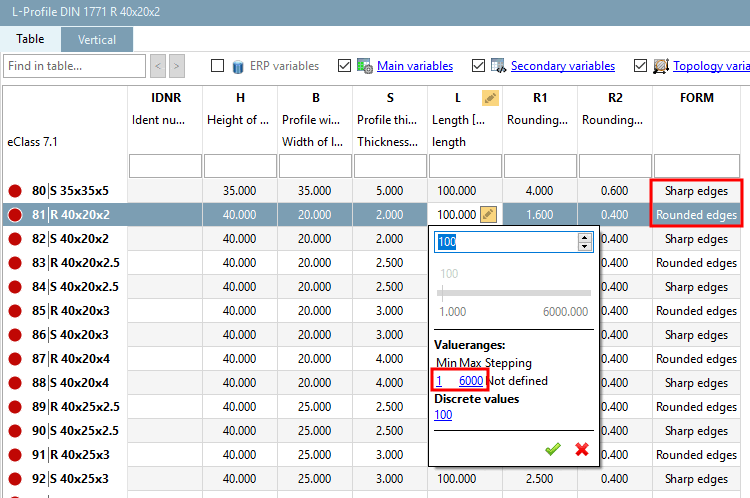
For this purpose, a feature algorithm was used for the variable L1 (in PARTdataManager not displayed) was used:[97]
IF( FORM1 .EQ. 1) THEN
L1 ='100,[1:6000]'
ELSE L1 ='100,[1:2000]'
ENDIF
If the variable FORM1 has the value 1, then the value range of L1 is from 1 to 6000,otherwise the value range is from 1 to 2000. The default value in each case is 100.
![The figure shows the selected variable "L1" with the status [Status] "Feature algorithm [Attribute algorithm] " in the variable manager [Variable Manager].The illustration shows DIN 1771](https://webapi.partcommunity.com/service/help/latest/pages/jp/partwarehouse/doc/resources/img/img_7163154878b94bd58eee548a5c469b92.png)
The figure shows the selected variable "L1" with the status [Status] "Feature algorithm [Attribute algorithm] " in the variable manager [Variable Manager].[98]
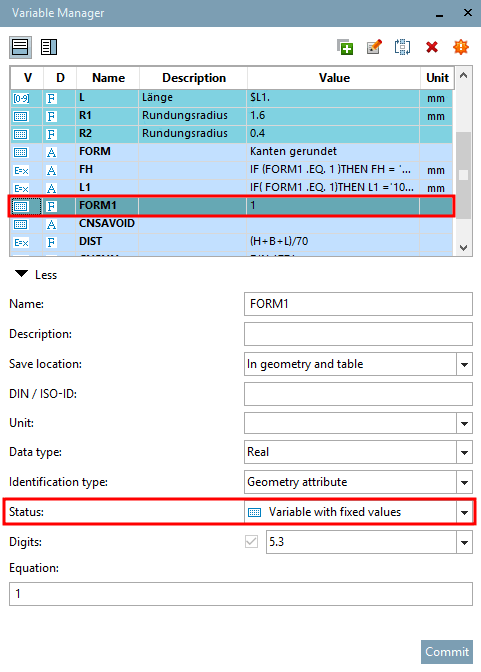
The variable FORM1 is a variable with fixed values [Variable with fixed values]. In this example, it has a value of either 1 or 2. The condition is based on this variable.
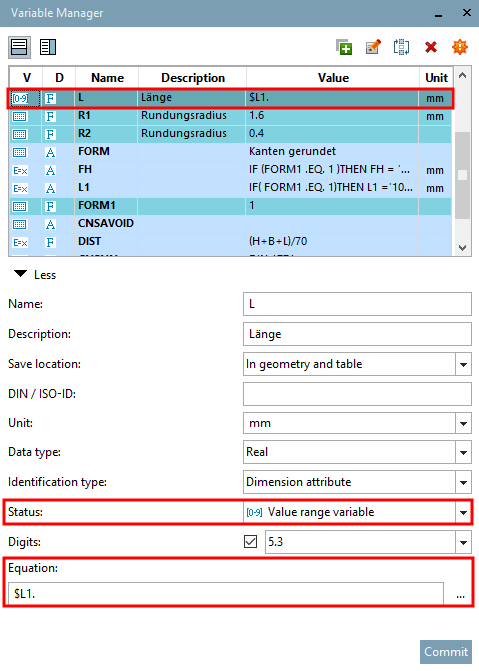
The variable L is defined as a value range variable [Value range variable]. It refers to the variable L1, which contains the feature algorithm (see above).