

Characteristic curves play a role in various fields (e.g., electrical engineering, control engineering for control valves, etc.).
For classifying characteristic curves, there is the CNS class CNS_CHARACTERISTICS_GRAPH. Using the associated attributes, a characteristic curve can be described.
Following figure exemplarily shows the class with attributes and two instances. The attributes can be manually filled; however, normally the are imported in automated processes (e.g. from VDI Excel data).
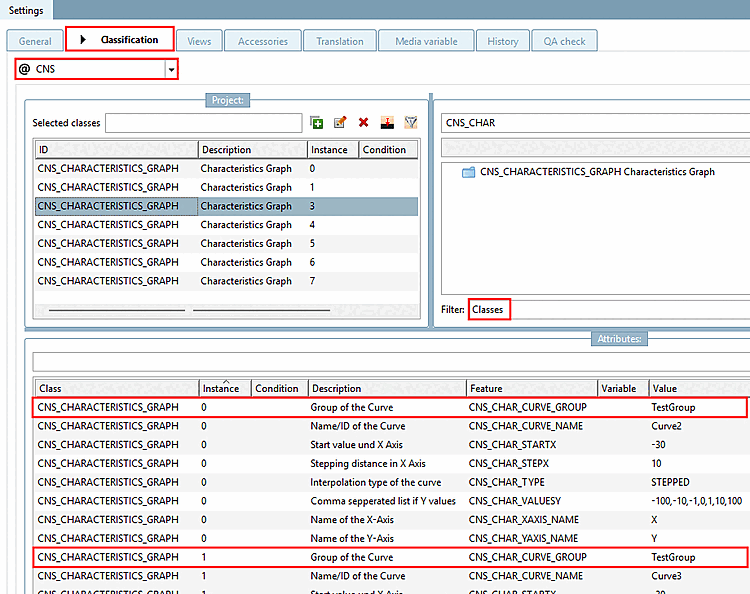
Example with multiple instances: Characteristic curves with the same group name (here, "TestGroup") are displayed in ONE graph .
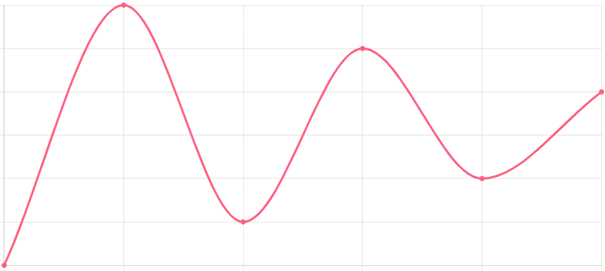
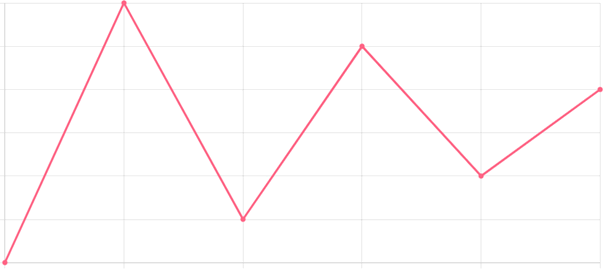
If the corresponding classification data is available, the existing characteristic curves (there are 3 in the following example) are displayed in 3Dfindit (or other platforms) in a separate dialog box labeled " Characteristic Curves [Characteristics]."
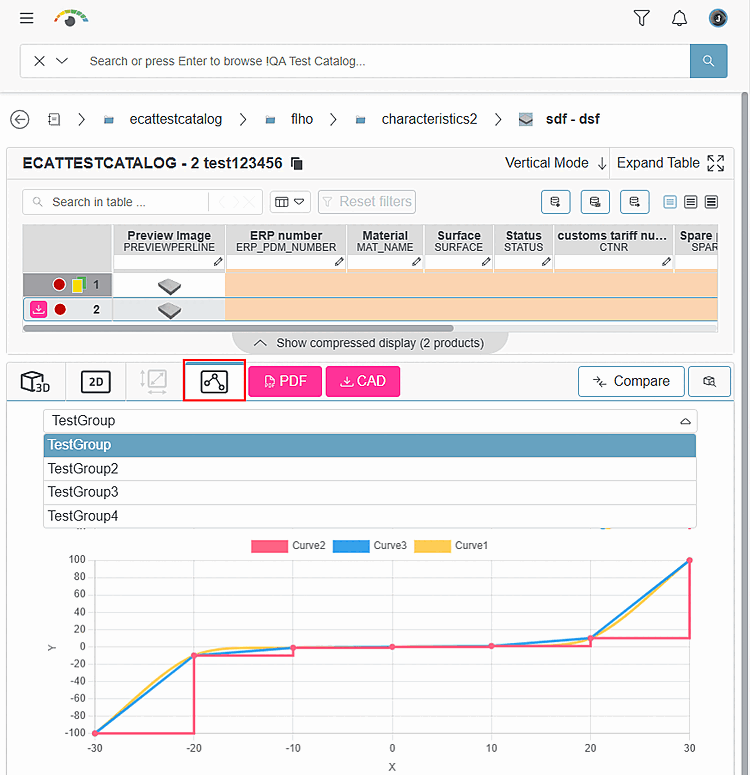
The following figure illustrates the relationship between the features in PARTproject and their representation in 3Dfindit using color coding.
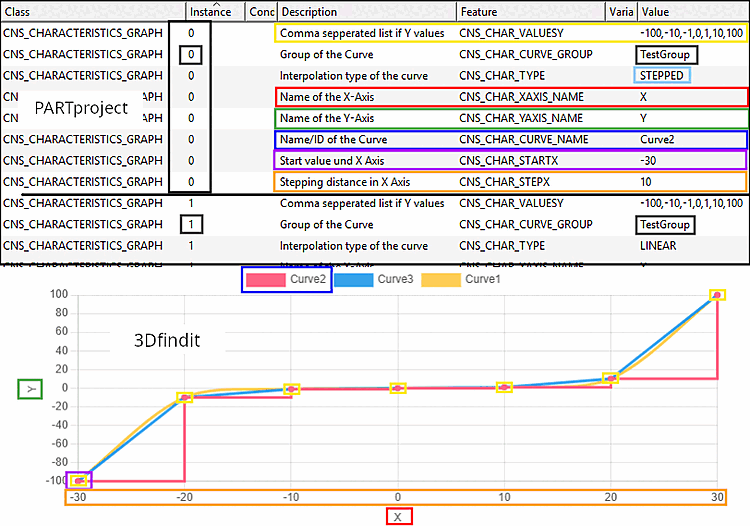
Y-values are inserted in the respective attribute separated by comma from left to right. Then the curve is automatically generated, beginning at the specified starting point and progressing with the specified step width.
"Group of the Curve " has the same value for instance "0" and instance "1," so the two characteristic curves are plotted on ONE graph.
![[Note]](https://webapi.partcommunity.com/service/help/latest/pages/jp/partwarehouse/doc/images/note.png)