

Initial situation: The IDNR column is to be hidden.

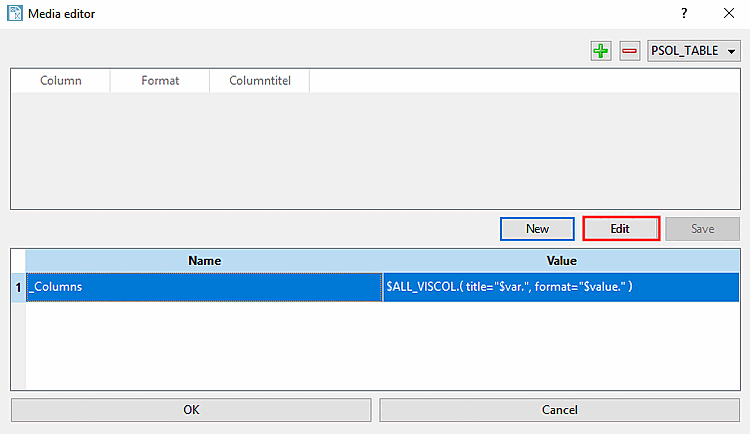
Open the Media Editor [Media editor] via Settings menu -> Template settings [Template configuration] -> .
Select the PSOL_TABLE option at the top right of the list field.
For example, select the variable
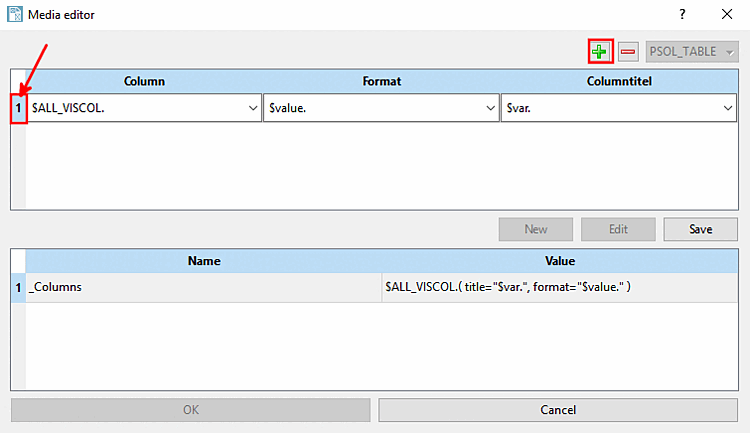
_Columnsin the lower half of the dialog box[119]and click on .-> The upper half of the dialog window is now activated (previously it was greyed out) and the settings for column [Column] (column display), format [Format] (row formatting) and title [Title] (title formatting) become visible.
In the upper half of the dialog box, click into the free area anywhere and then on the icon
 .
.Under Column, open the list field and select the column to be hidden.
![[Note]](https://webapi.partcommunity.com/service/help/latest/pages/jp/partwarehouse/doc/images/note.png)
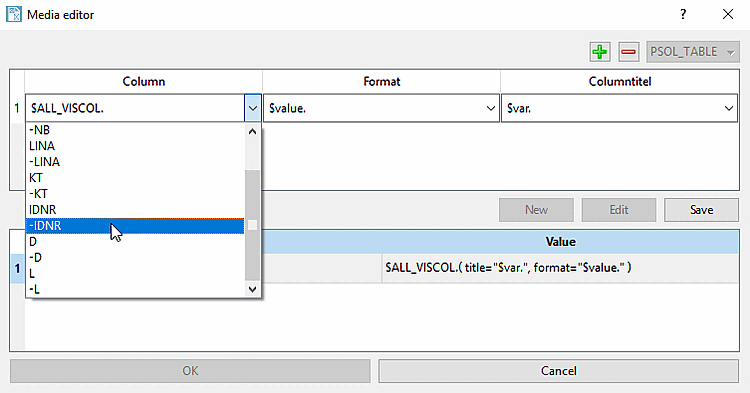
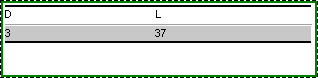
Result: The IDNR column is now hidden.
[119] This would be the standard case. Of course, you can also create your own table media variables and reference them in the PARTtemplateDesigner.