
5.12.3.7. Classification
(By Categories) - (By Countries) - (By Functionality) 5.12.3.7.3.
Classification (By Countries) |  |
| Prev | Next |
The functionality described in the following enables a manual adding of address data.
Editing a large number of manufacturer address data directly in PARTproject is tedious. It is better to use the Import [Import address information] address data function. See Section 5.8.2.1.20.21, “ Manage address data ” address data.
Select the
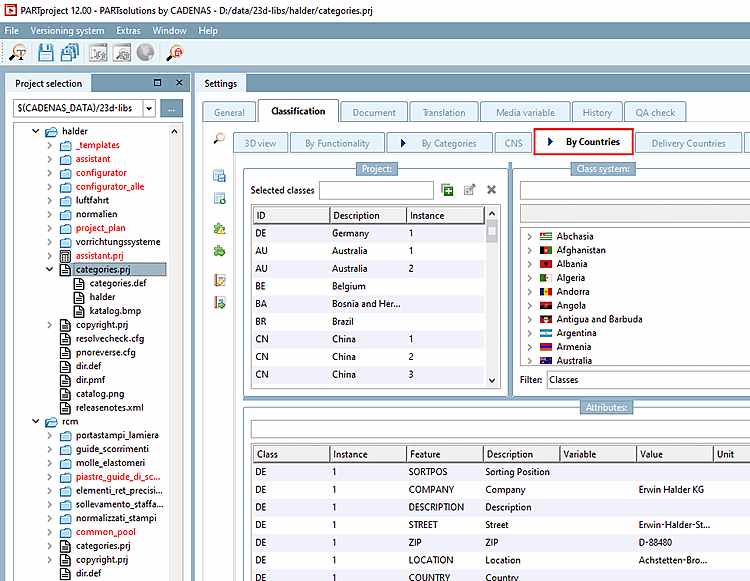
categories.prjin the catalog root directory or possibly also a project file if the product is only available in specific countries.Select the required classes (countries) under Classification system [Class system].
Fill in the individual characteristics in the Characteristics dialog area.
![[Note]](https://webapi.partcommunity.com/service/help/latest/pages/jp/partwarehouse/doc/images/note.png)