
 |
As of V9.08 the function Any parameter has been added to the Topology search. So variables do not have to be specified, but the values can occur in any parameters (diameter, length, etc.). Only a few numerical values of the part must be known in order to find the part. (Often the variable name for length, diameter, etc. is not yet known and especially, is not used consistently in different parts.)
In V9.08 you had to create a new line with the attribute Any parameter for each value. Now in V10 you have the input field Any value at top.
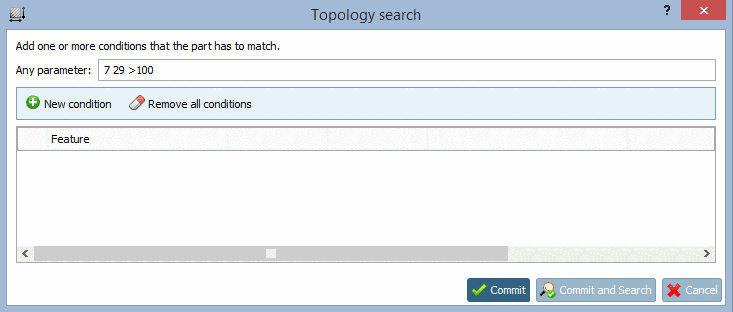
There you can simply enter some numerical values. The boolean operators, [x-y (range) for example] can optionally be entered directly before a numerical value.
20 30 40
7 29 >100
Meaning: Find a part which contains the numerical values 7 and 29 and a value greater than 100.
3 >7 >=2
!=7
1e-2-3e-2
This is according to 0.01-0.03. After 'e' an exponent follows. In other words: 1 times 10 to the power of -2 until 3 times 10 to the power of -2
2.71-2.9 7.2-9.81 =3.4
4 >8 17-25