|
With new rendering functionality (textures and bumpmaps[15]) you will receive very realistic 3D views. On this see Section 2.10.1.2.6, “Render materials with textures and bumpmaps for the 3D preview ”.
With a batch process, then these materials can be mapped to already existing colors very simple (for a whole catalog).
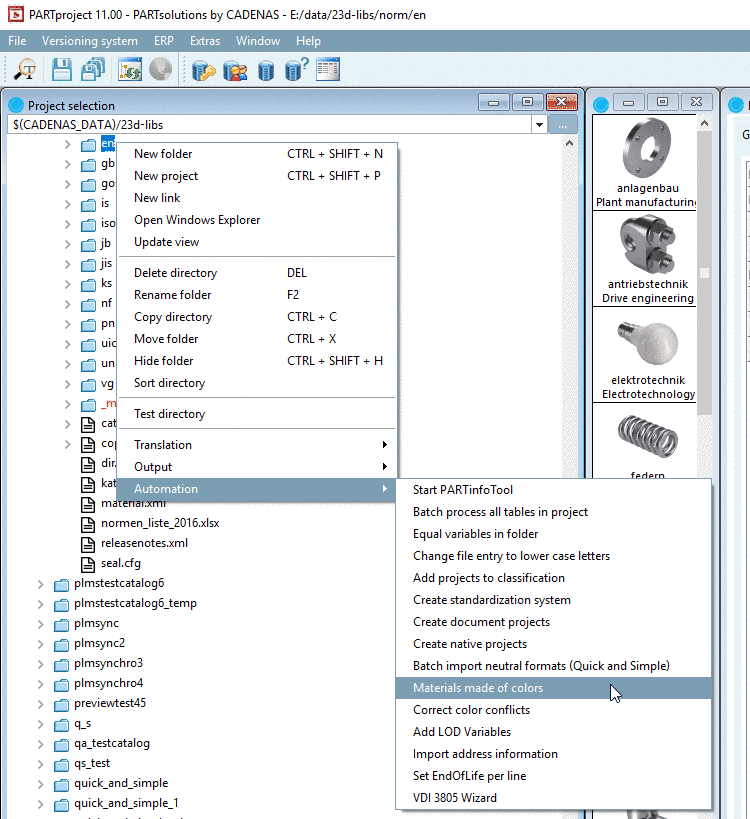
Call: PARTproject -> Project selection -> catalog context menu -> Automation -> Materials made of colors
In the dialog Create materials from color all found colors are listed.
Once selecting a color on the left, on the right found projects are listed.
When selecting a material in the list field under Material on the left, it is set at all projects on the right. In the list fields on the right under Material, you can optionally select other materials for certain projects.
If you are missing certain materials, call the dialog Render Materials by clicking on the button top right. Details on this can be found under Section 2.10.1.2.6, “Render materials with textures and bumpmaps for the 3D preview ”.