

There are several value mappings for ERP columns:
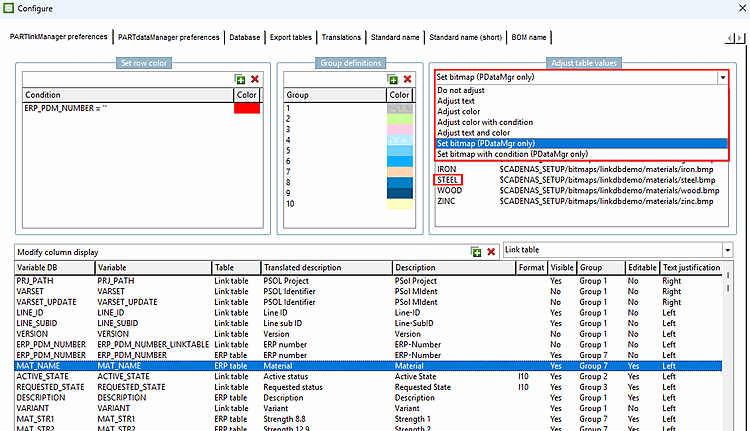
Until now, it was problematic that upper and lower case was taken into account, although this was not intended. As of V12.12, these cases now ignore upper and lower case:[57]
Even if there is a customize text [Adjust text], it seems that unmapped values are not displayed at all.
If, for example, st37 is mapped to steel, from now on upper and lower case is not taken into account. This means that "steel" is equivalent.
If the mapping contains a condition and the condition contains string comparisons, you can now work with a new function. The third parameter "FALSE" indicates that the comparison ignores upper and lower case. If there is no valid mapping for a value, the value is displayed.
COMPARE(MAT_NAME, 'GOLD', .FALSE.).EQ.0