

![[Note]](https://webapi.partcommunity.com/service/help/latest/pages/jp/partsolutions_user/doc/images/note.png) | Note |
|---|---|
This feature is only officially available for future versions and is only an internal test version with V12.12 and is therefore hidden in the standard version. | |
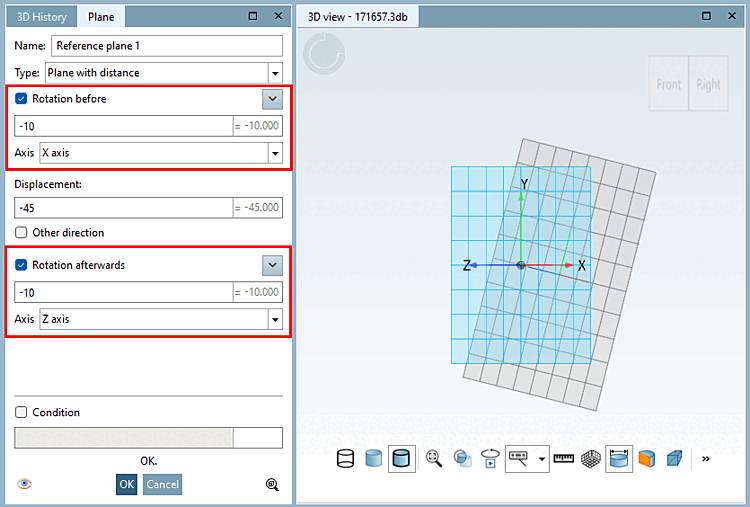
When creating a reference plane, the rotation [Rotation before] can be specified beforehand [Rotation before] and the rotation afterwards [Rotation afterwards] together with the shift [Displacement]. This saves some work steps with auxiliary planes and makes it easier to use. Only works with the plane in distance [Plane with distance] type.
Rotation works and behaves in exactly the same way as for planes with rotation [Plane with rotation]. It is always relative to the current position! Therefore, rotation before [Rotation before] is relative to the selected reference plane. Then the distance is added normally to the first rotation (if there is a rotation) and then rotation [Rotation afterwards] is added afterwards [Rotation afterwards] relative to the position after the distance movement.
You can find more information on reference planes in the Section 7.6.2.3, “ Reference Plane ” in eCATALOG 3Dfindit chapter.