

![[Note]](https://webapi.partcommunity.com/service/help/latest/pages/jp/partsolutions_user/doc/images/note.png) | Note |
|---|---|
This feature is only officially available for future versions and is only an internal test version with V12.12 and is therefore hidden by default. | |
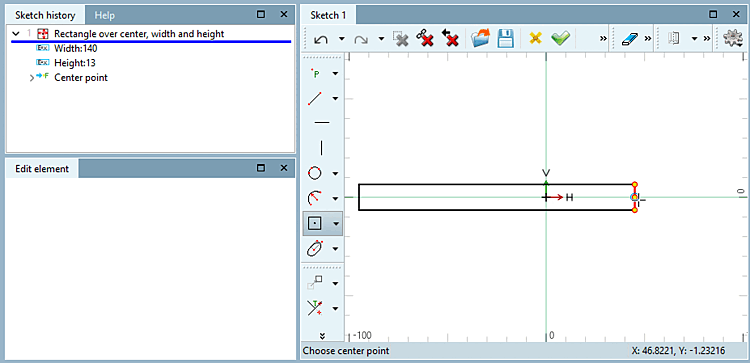
Rectangles can now also be created based on the center point.
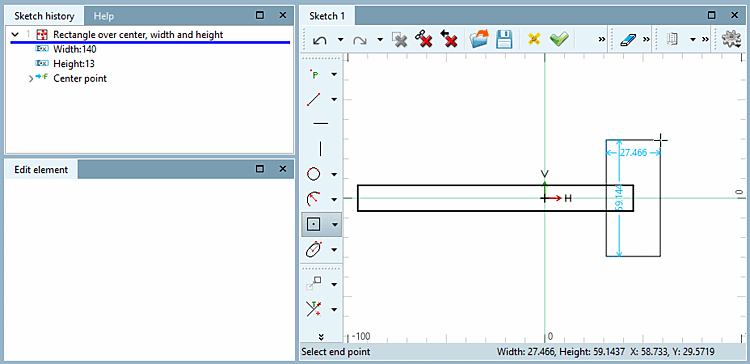
Click on the center point and drag the rectangle with the mouse. You can select a reference point or click freely on the area.
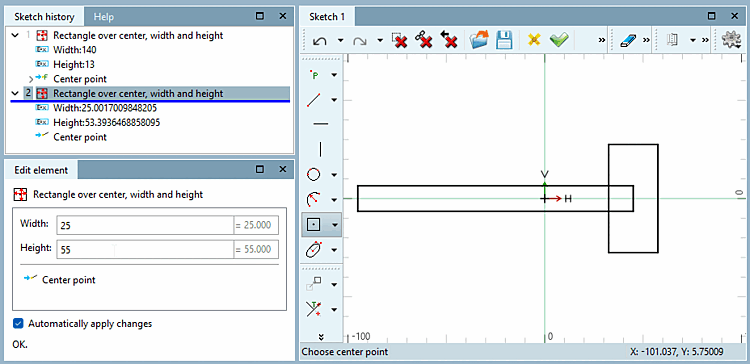
Fix the end point with a mouse click. You can select a reference point or click anywhere on the surface.
Determine the exact position (center point X and center point Y ) and the dimensions (width [Width] and height [Height] ) in the Edit element docking window.
Here you will find the chapter on this in the manual: Section 7.9.3.6, “ Forms -> Special ” in eCATALOG 3Dfindit.