
1.4.1.2.1. PARTproject 1.4.1.2.1.10. Automatically load last project when starting PARTproject |  |
| Prev | Next |
You can now define whether you want to load none, the last used project or a specific project automatically when starting PARTproject.
To do this, click on Extras > Settings > General in PARTproject and make your selection in the Automatically load nodes [Autoload Node] field.
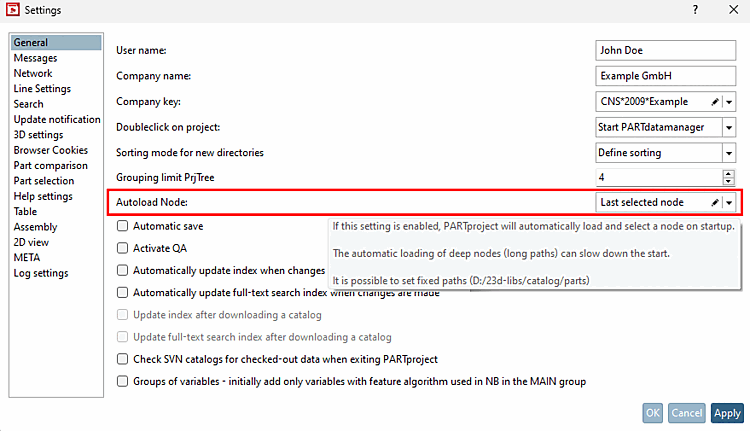
If you have selected Last selected node [Last selected node], you must restart PARTproject for the changes to take effect.
The entry of a path in free input is possible from v12.13.
Further information on the settings can be found here: Section 5.6.4.8.1, “ General ” in eCATALOG 3Dfindit.