
1.5.1.2.2. PARTproject 1.5.1.2.2.24. Add ERP mapping: Automatic loading of the last catalog status |  |
| Prev | Next |
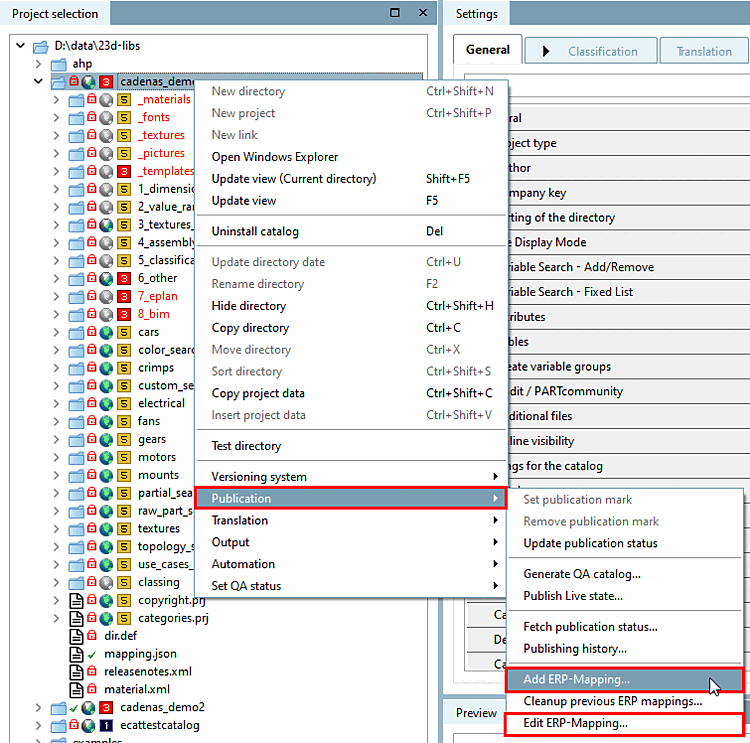
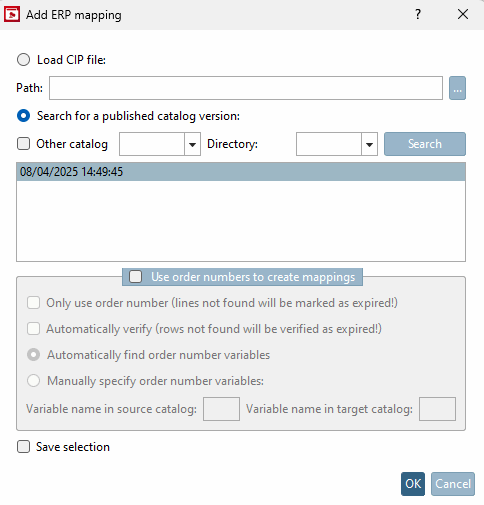
When you open the Add ERP mapping dialog box, the last catalog status is automatically displayed. If the network load is high, this process may take a few seconds. Click on Search to load further publications.
Is that
automatic loading is not desired, this can be done via configuration file
can be switched off. To do this, add $CADENAS_USER/erpmappingcatalogs.cfg
the following section:
[COMMON]
LoadLatestLivePublication=false
Further information on the functionality can be found in the Section 6.10.2.1.3, “ Add ERP mapping... and Edit ERP mapping.. ” in eCATALOG 3Dfindit.