1.3.8.6.3. Full-text search index

Create full-text search index (Lucene index)

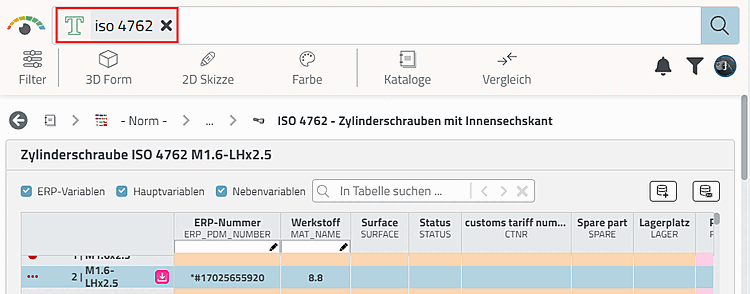
This index is required for the Full-text search in PARTdataManager.

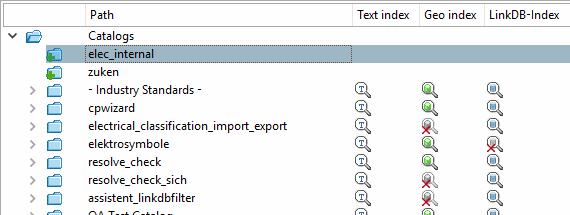
You can recognize the current state of the index by specific icons:

Example

Example

Full-text search index available
Full-text search index available (Newer version)
Full-text search index available (Older version)
Full-text search index is missing
Full-text search index incompatible (Index is too new)
Full-text search index incompatible (Index is too old)

[Note]Note

In PARTadmin, under Index administration, icons signalize the current state of the Lucene index. Details on this can be found under Section 1.3.8.4, “Meaning of icons and display in the index tree ”.

  • Software update

    Especially at software updates you have to make sure to update the index in order to have fully new functionality.

  • Catalog update

    Catalog updates are advantageous, because they contribute to the improvement of part quantity and / or part quality. Here the case may occur that the index is newer than the software version.

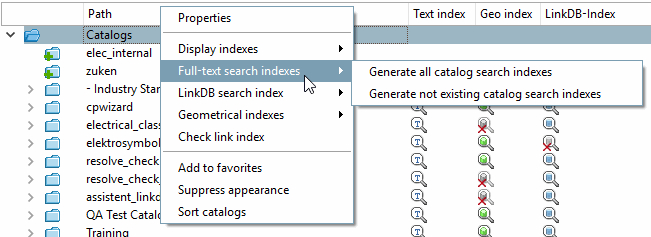
On the topmost catalog level (Catalogs) the full-text search index can be completely created for all catalogs (Create all catalog search indexes) or only updated for still missing catalog indices (Create not existing catalog search indexes).

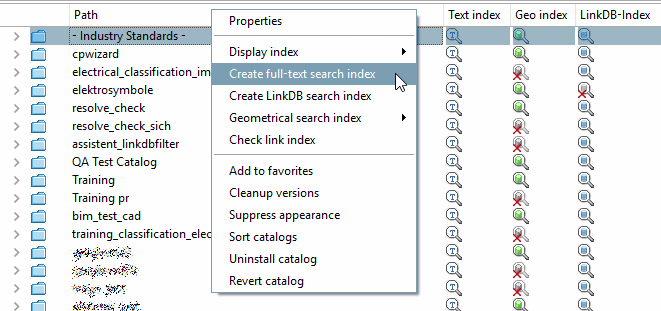
For all top-level directories (norm, <catalog manufacturer>, own part catalog) the index for the full-text search can be created for the selected catalog as a whole. At sublevels, the command is not available.

[Note]Note

Furthermore the full-text search index is required when searching for topological measures of length by using the input field of the full-text search. When updating the software please make sure to update the geo search index and then the full-text search index. On this please see Section 1.3.8.6.15, “ Update Full-text search index (and Geometrical search index) for finding topological values via Full-text search ”.