1.7.4.5.1. Open part possible: Yes/No AND/OR Export possible: Yes/No

In the event that that a product has expired can be eol.cfg in the configuration file whether the opening of the product and/or an export to CAD should still be possible or not.

All setting combinations of the "EolAllowOpen" and "EolAllowExport" keys are possible.
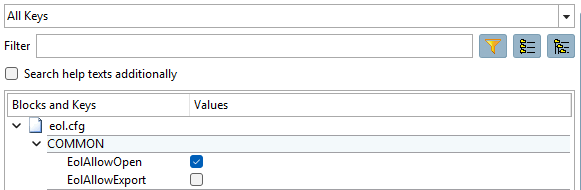
eol.cfg

eol.cfg

A role-specific setting is also possible:

[COMMON]
[COMMON(UserRole1)]
[COMMON(UserRole2)]
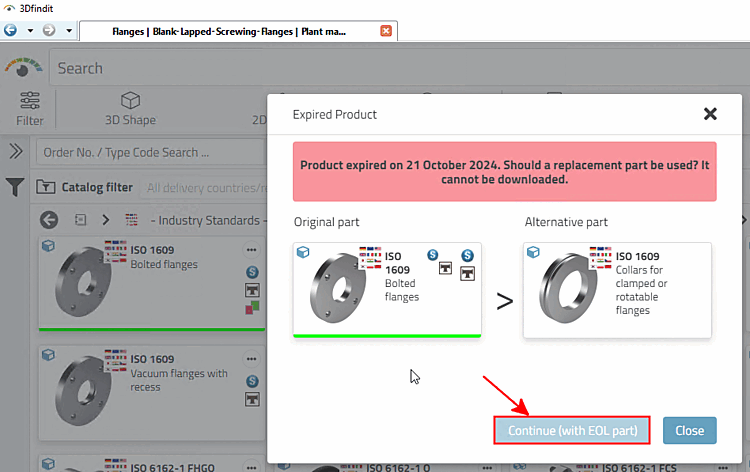
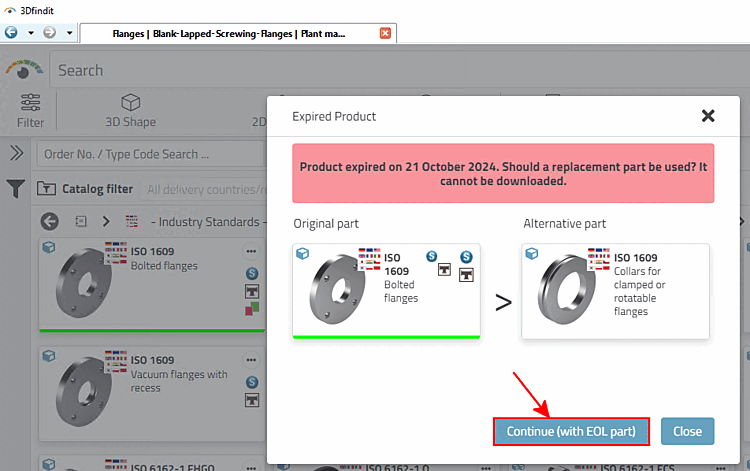
  • Unable to open part: The Next [Continue (with EOL part)] button (with EOL part) [Continue (with EOL part)] is inactive.

  • Open part possible: The Next [Continue (with EOL part)] button (with EOL part) [Continue (with EOL part)] is active.

    Example from 3Dfindit

    Example from 3Dfindit

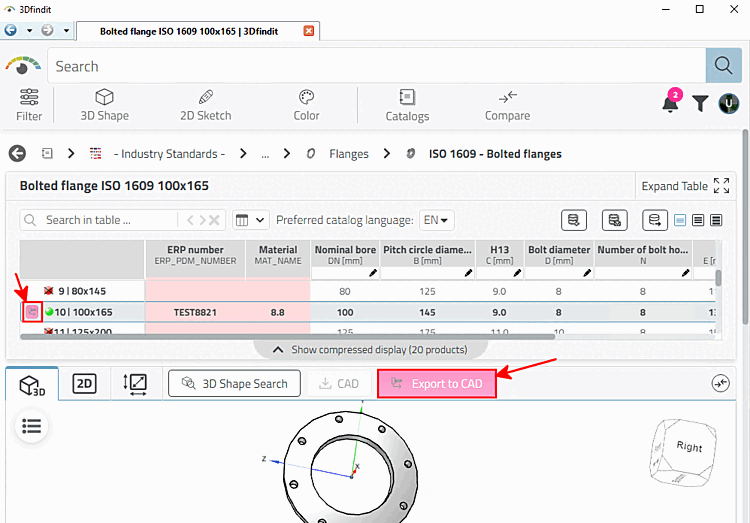
  • Part export not possible: The Export to CAD button is inactive.

    3Dfindit: Button inactive

    3Dfindit: Button inactive

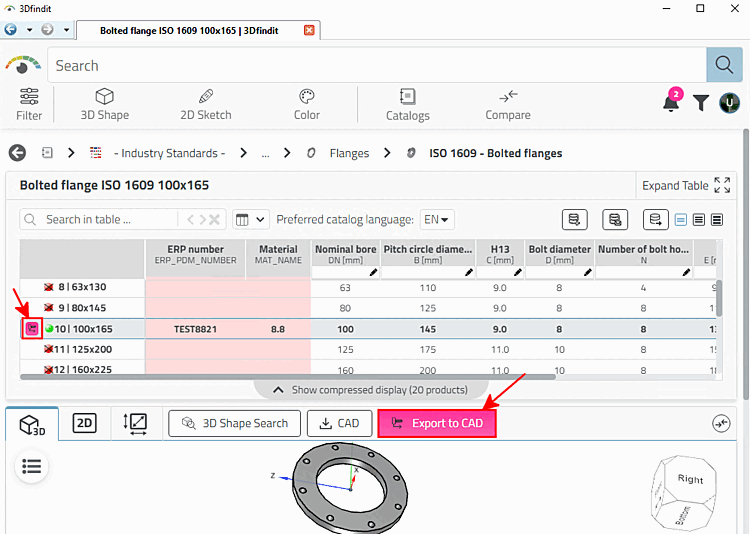
  • Part export possible: The Export to CAD button is active.

    3Dfindit: Button active

    3Dfindit: Button active