to Level [To plane]:
Up to selected level
extrude. [Extrude up to selected plane.]
to Level [To plane]:
Up to selected level
extrude. [Extrude up to selected plane.]
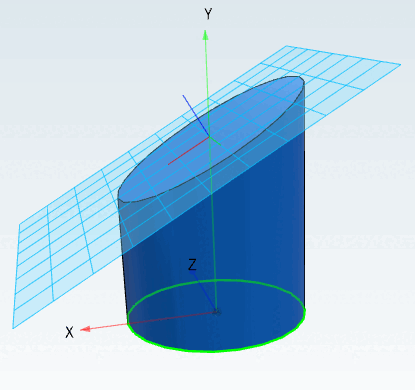
Extrusion
of a sketch to a selected plane.
There is
only one restriction: The layer must not
intersect the sketch.
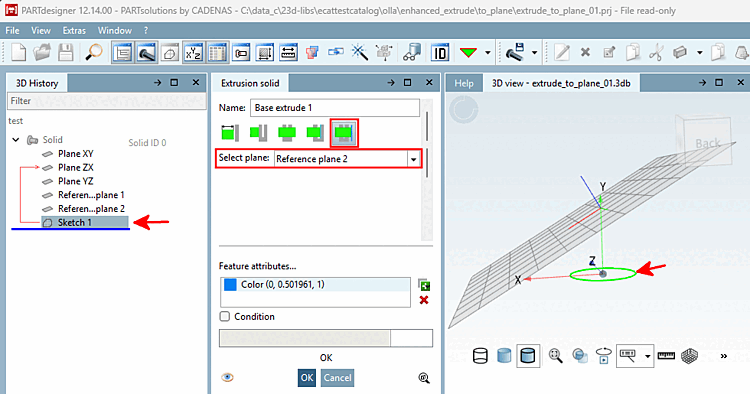
How toHow:
Select
"Extrude " or " Cut"
on a sketch.
Select
the "To Level [To plane] " method and
select the desired level
from the " Select Level [Select plane]" list box.
Confirm
by clicking OK.
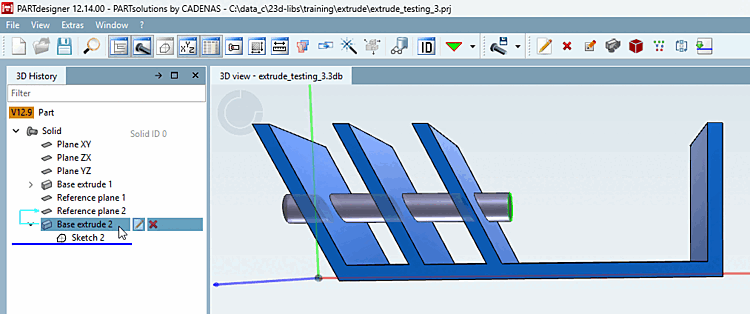
Another example:
Select
" Extrude " on a
sketch element.
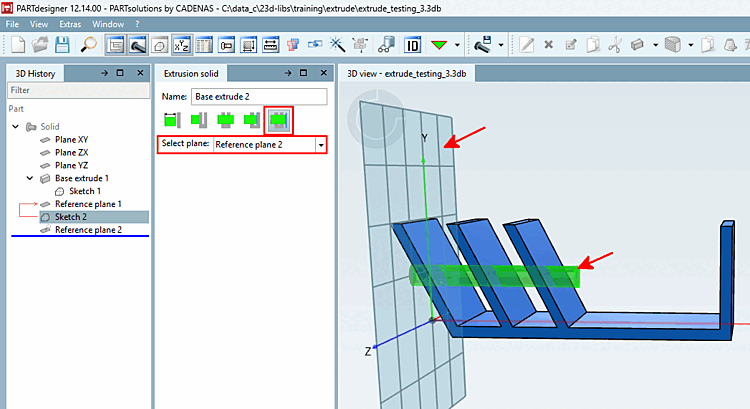
Select
the "Up to"
level [To plane] method.
Select
the desired level
under " Select Level [Select plane]."
Confirm
by clicking OK.


![[Note]](https://webapi.partcommunity.com/service/help/latest/pages/jp/ecatalogsolutions/doc/images/note.png)