
 |
As of V10 the import option for STL has been enhanced. Not only a certain number of triangles can be set, but also the desired quality of results.
Default: Reduces to the predefined number of triangles. If the current number of triangles undershoots the predefined count, no reduction will be made.
Light: Light reduction. Great for a simple reduction of the face count of Parts. The topology will not be changed. Circles will be approximated by many faces.
Medium: Medium reduction. Great reduction of the face count of any Part. The topology will not be changed. Circles will be approximated by less faces.
Rough: Rough reduction. Great reduction of the face count of big or highly triangulated parts. Can destroy the topology of small parts and can lead to edged circles.
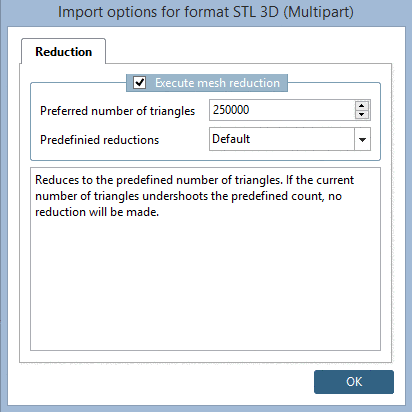
Der neue Modus wird bei allen Import-Dialogen für STL verwendet, beispielsweise unter Part comparison -> Tabular Compare -> Open 3D file....