![Modify -> Crop [Trim] grouped (part 1)](https://webapi.partcommunity.com/service/help/latest/pages/jp/partwarehouse/doc/resources/img/img_e052b71c187a4f2e964428e55c8bd78e.png)
 Cut element between 2 elements
Remove line area between two points
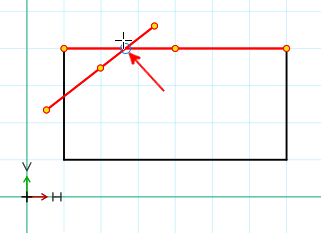
Select the element to be split [Choose element to split]: Click on the element to be split.
Define start via intersection [Choose start by point of intersection]: Click on the starting point of the area to be removed.
Define end via intersection [Select end by point of intersection]: Click on end point.
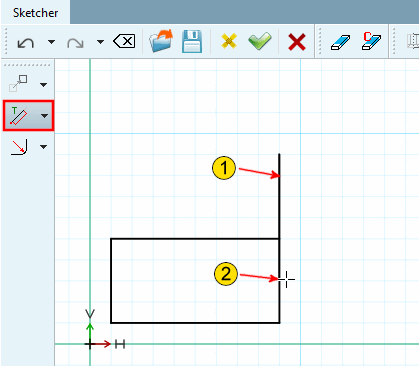
 Trim line length [Trim length of line] (shorten or extend)
The line length is changed. The start point keeps its position.
Trimming is performed in the direction of mouse cursor (shorten or lengthen).
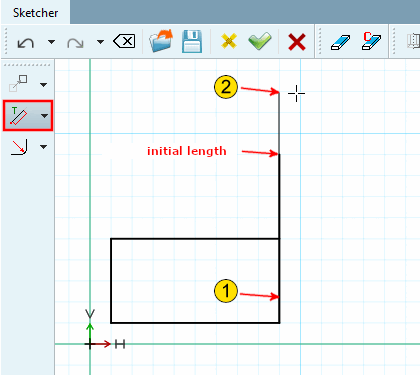
Select the line to be trimmed at the fixed end [Choose line to trim on it's fix end]: The fixed end is always on the side of the nearest line end point.
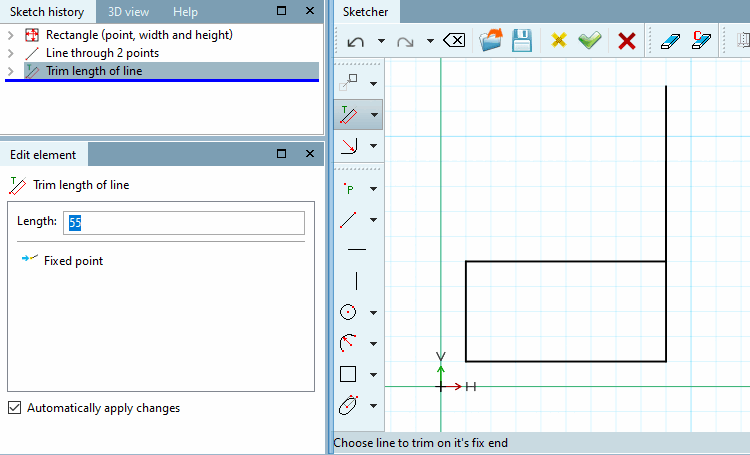
Select new line length [Choose new line length]: Move the mouse cursor in one direction or the other. You can see the new line length in the preview. Click to fix the line end point.
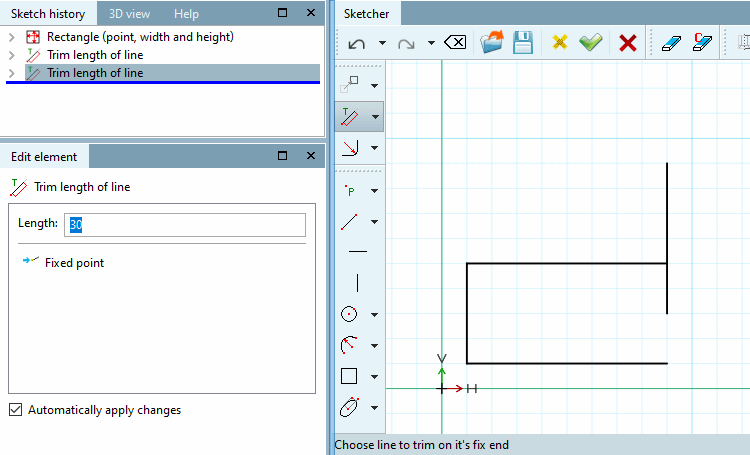
Determine the exact new length of the line in the Edit element window.
Positive values are shown if you moved in the direction of the other line-end point, negative values analogously when you moved in the other direction.

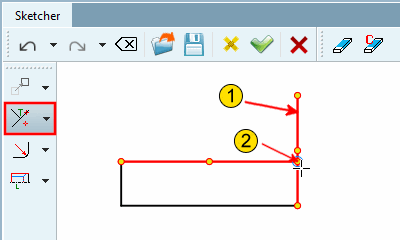
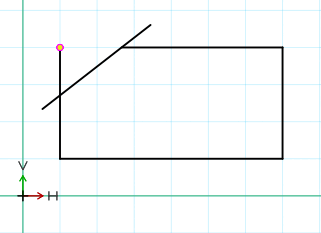
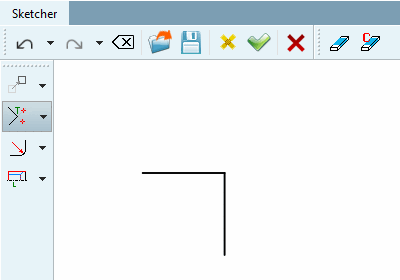
![Trim element to another [Trim element with other] - result](https://webapi.partcommunity.com/service/help/latest/pages/jp/partwarehouse/doc/resources/img/img_c47836229c3a4639a46fe9144a9170ca.png)

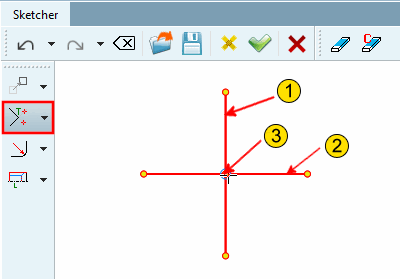
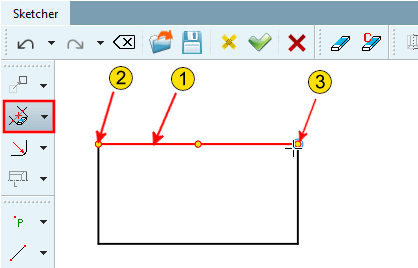
![Break element between 2 points [Cut element between 2 elements] - Result](https://webapi.partcommunity.com/service/help/latest/pages/jp/partwarehouse/doc/resources/img/img_82223ce8f8b64fd29b91192a3044dffe.png)
![[Note]](https://webapi.partcommunity.com/service/help/latest/pages/jp/partwarehouse/doc/images/note.png)