![[Note]](https://webapi.partcommunity.com/service/help/latest/pages/jp/partwarehouse/doc/images/note.png)
This user has the following particularities:
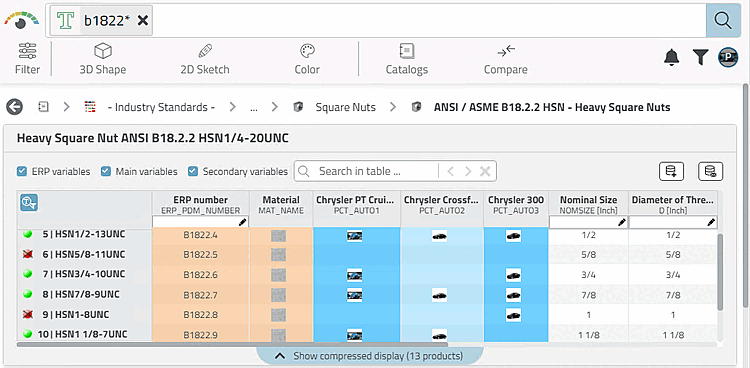
At each role selection the columns "PCTAUTO1-3" are displayed.
ERP_PDM_NUMBER,MAT_NAME,ACTIVE_STATE,REQUESTED_STATE,PCT_AUTO1,
 PCT_AUTO2,PCT_AUTO3
The export is only possible if in the car model column belonging to the role the 'x' marking is set and at the same time an ERP number is available.
((ERP_PDM_NUMBER.NE.'').AND.(PCT_AUTO1.EQ.'x'))
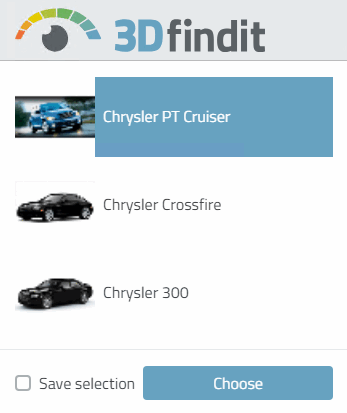
The figure exemplarily shows the role selection "Audi R8". For this role, the marking in column "PCT_AUTO2" is decisive for the status lights
When you click the Preferred rows on/off button
 two things happen:
The rows with a red traffic light are hidden based on the condition set under Preferred row [Preferred ranges].
((ERP_PDM_NUMBER.NE.'').AND.(PCT_AUTO1.EQ.'x'))
The display in the directory structure is filtered based on the condition set under Display condition [Display condition for parts selection] for part selection.
(LINKTABLE.ERP_PDM_NUMBER<>'') AND (ERPTABLE.PCT_AUTO1='x')
The ERP_PDM_NUMBER must be unequal to empty (meaning available) AND the column PCT_AUTOx must have the 'x' marking.
Only directories that meet the condition are shown in green.
For default behavior (no set condition) it is sufficient to have a link in the LinkDB, meaning an ERP_PDM_NUMBER.