5.9.17.3. Copy (inherit)
templates and variable data
5.9.17.3.1. Inherit
datasheet PDF template by Copy & Paste |  |
| Prev | Next |
Initial situation: A data sheet PDF template, which was created in PARTtemplateDesigner for a test project, is to be inherited to the catalog root element.
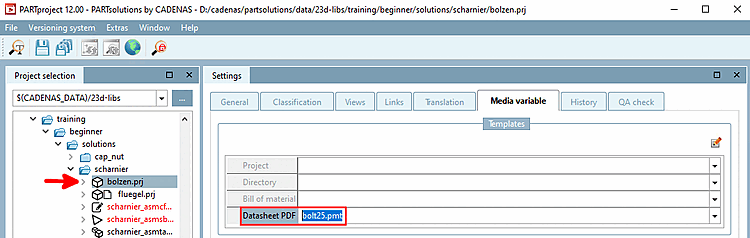
In the project selection [Project selection], select the project to which the template to be inherited is assigned
Copy the template in the Data sheet PDF [Datasheet PDF] line with Ctrl + C.
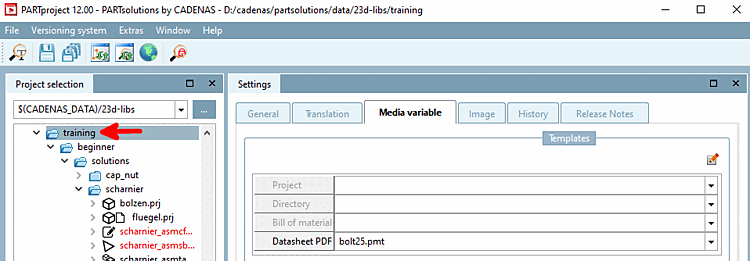
Select the catalog root folder (or any other subfolder or project)
Insert the template in the Data sheet PDF [Datasheet PDF] line with Ctrl + V.