The following
describes how already exported parts can be inserted repeatedly.
Click  Insert repeatedly.
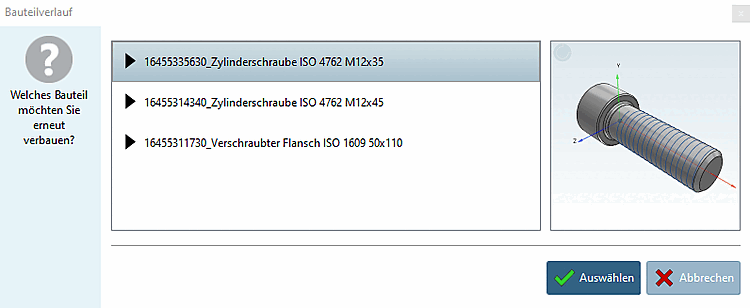
The exported parts of the current session are displayed in the Part history dialog box. Select the desired part and click on the tick to confirm.
Insert the
part with one of the offered placement methods of your CAD system
again.