
7.6.2. Listing of all possible features in the "3D history " docking window 7.6.2.7.
Cut extrude / Cut rotate
|  |
| Prev | Next |
With PARTdesigner you can cut a cavity (e.g. hole, etc.) out of a 3D body (e.g. cuboid, cylinder, etc.).
Draw a 2D contour in the Sketcher and extrude or rotate it using the context menu command Section [Cut] -> Extrude... /Rotate.... [Rotate...] The figure described in this way is spatially subtracted from the 3D solid.
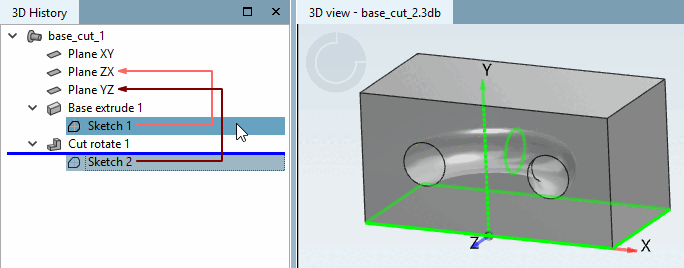
The approach of extrusion and rotation is principally according to the explained under Section 7.6.2.6, “ Base extrude / Base rotate ”.