
 |
For the catalog update under PARTadmin -> Catalog update -> Online, now information on the catalog categories is displayed in addition.
In the catalog listing you can find the column Info now, which shows the respective icon. At mouseover a tooltip with a description is displayed.
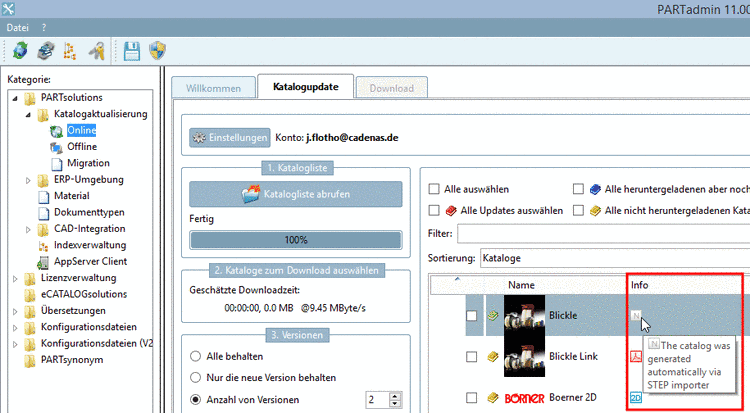
The following table shows the available catalog categories and the related key values and tooltip information.


The information is
in the dir.prj of the
catalog, in the key ICONS.
ICONS= NEUTRAL
Also several icons in combination are possible:
ICONS=NEUTRAL,DEMO