4.7.2.47.
Suggested corrections for typing errors e.g. - Did you mean
In the docking
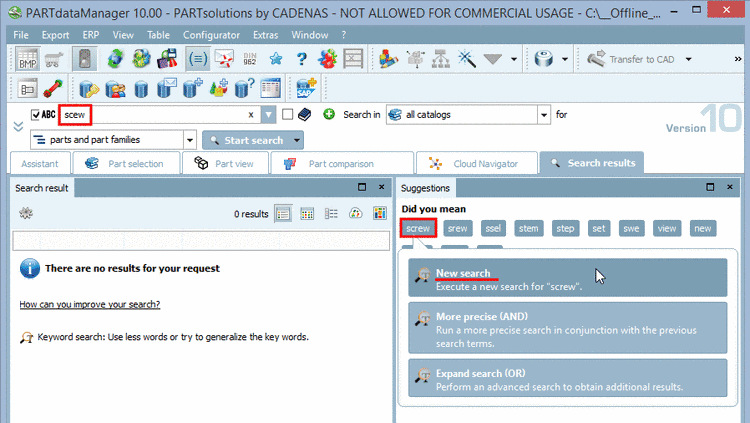
window Suggestions, in the dialog area Did you mean, terms similar to the one entered
in the input field for Full-text search are
displayed.
For typing errors
such as "scew" for example the correct term is suggested at the first
place.
Simply click on
the desired term.
-> A dialog
box different options opens:
Click on
New search.
![[Note]](https://webapi.partcommunity.com/service/help/latest/pages/jp/partwarehouse/doc/images/note.png) | Note |
|---|
In the
Extras menu under Settings..., Search list field, Text Search tabbed page you can perform the
following settings: Activate /
deactivate
Maximum word suggestions
Furthermore
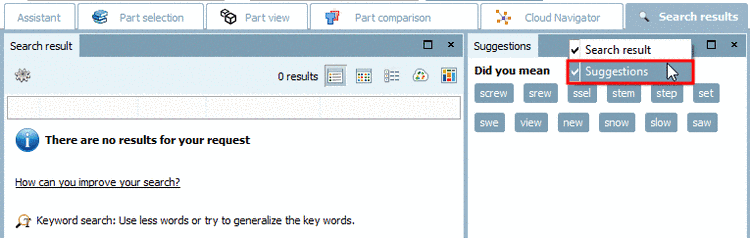
you can hide or display the dialog area Did you mean via context menu command
Suggestions.
|