
 |
Using Full-text search or Topology search the search parameters are colored in the respective columns (Project, Summary, Size, Topology).
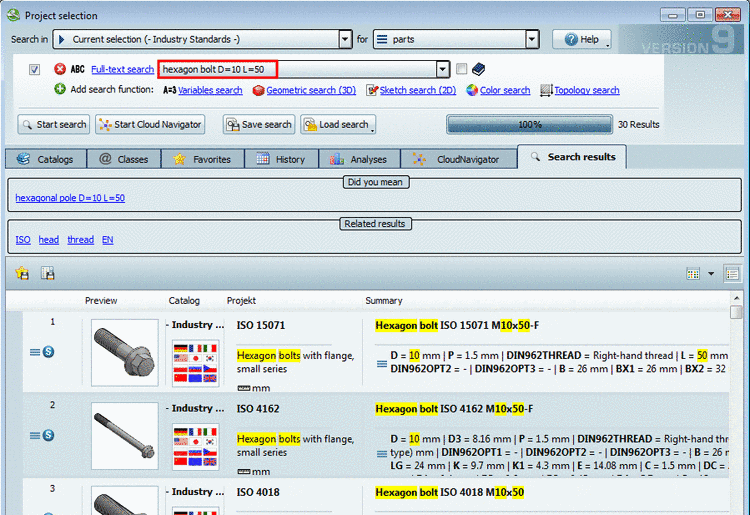
Enhanced information in popup window:
In the following cases you can find more information in the popup window:
![[Note]](https://webapi.partcommunity.com/service/help/latest/pages/jp/partwarehouse/doc/images/note.png)
When you want to open the popup window in order to see all information, click into the respective cell.
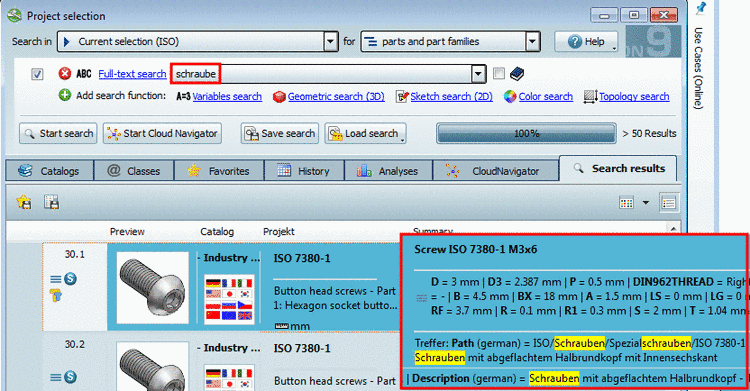
When searching for "schraube" in an english user interface in the popup window you can see that the hit is based on an accordance in path and description.
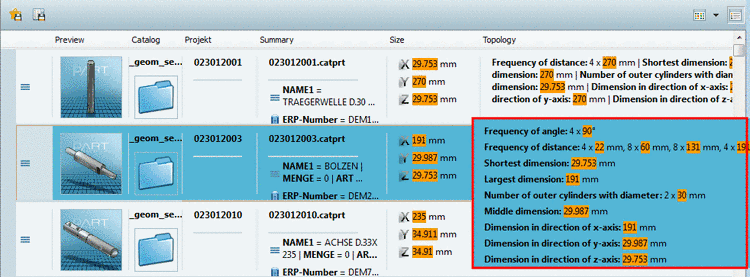
Topology search with "Any parameter" delivers a lot of values. In order to see all values, click into the cell. The highlighted values in the topology search are a new feature of version 9.06 as well.