
3.3.7.2. Block
[CreationOptions(is3d)] 3.3.7.2.8.
Key
"PipingConnPoint" - NX routing function
|  |
| Prev | Next |
In NX, fitting connections are represented by small arrows indicating the direction of flow. This representation can be generated from the 3Dfindit.
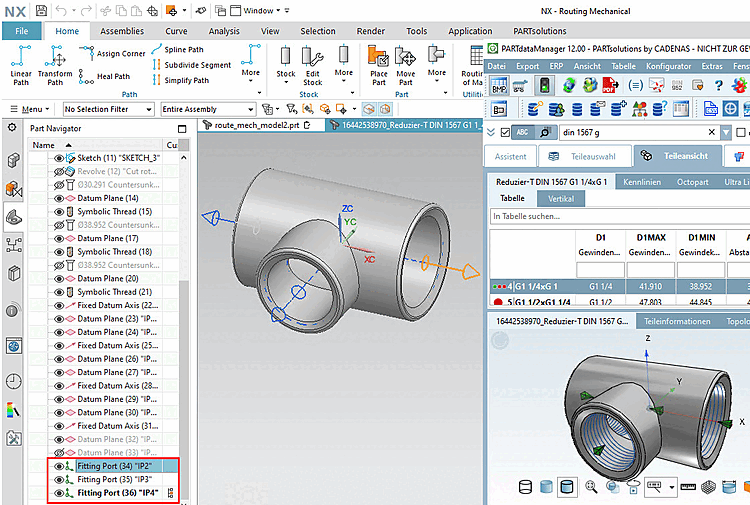
To be able to use the NX Routing function with 3Dfindit, an "NX Routing Electrical" license must be available.
Configuration file $CADENAS_SETUP/ifugnx.cfg -> Block [CreationOptions(is3d):include(CreationOptions)]-> Key PipingConnPoint
PipingConnPoint=1
With activated key at each export on each connection point a "Fitting Port Feature" is generated.
In addition, the following key must be activated, which is the case by default (for more information, see Section 5.12.13.6, “Use parts in NX ” in eCATALOG 3Dfindit ).
The flow direction results from the Z-axis of the connection point (visualization via the setting option Connection point coordinate system )
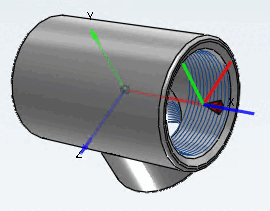
The fitting connections are generated on layer 32 and are visible by default (according to the setting in ifugnx.cfg -> key layer_11-> value ports:32:2).