
 |
As of PARTsolutions version 9.08, in the Duplicates Report , Make or Buy report , Cost mockup report and in the Supplier search , you can narrow down results in an additional dialog area Filter for results. Available filters are Variables search and Topology search. You can use the functions several times via Add search function button.
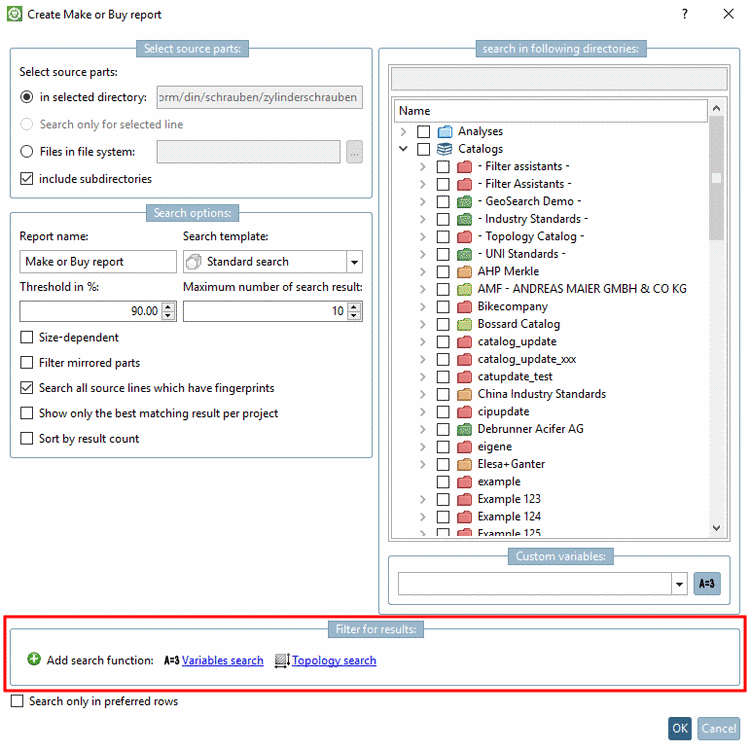
The functionality is according to the standard search functions:
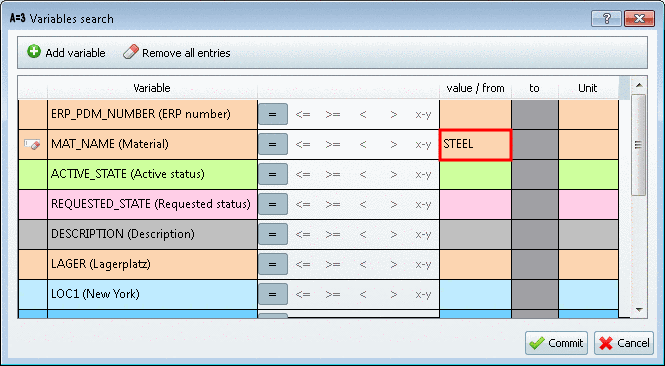
Variables search: You can filter for an ERP number group or a certain material for example. In the dialog box all visible ERP variables of the table are displayed.
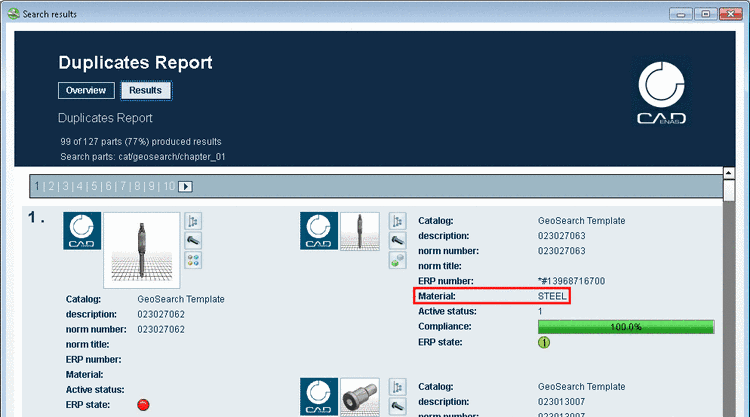
Result in the exemplary Variables search: In the report only result parts (right side) with material "STEEL" are displayed.
Details on this are found under Section 3.1.6.4.5, “ Variables search ” in PARTsolutions - User manual.
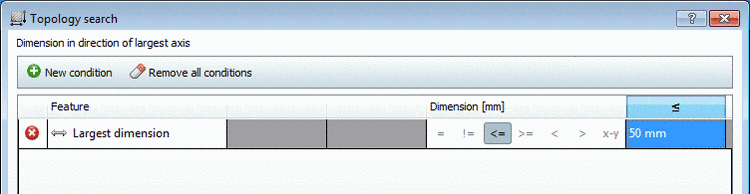
Topology search: You can filter for the longest extension for example.
Details on this are found under Section 3.1.6.4.12, “ Topology search ” in PARTsolutions - User manual.
![[Note]](https://webapi.partcommunity.com/service/help/latest/pages/jp/partwarehouse/doc/images/note.png) | Note |
|---|---|
You can also
create a report just based on preferred parts. Hereto, in the ERP
toolbar, before the report generation, activate the filter Preferred rows on/off | |
