

PARTsolutions Professional and eCATALOGsolutions customers are informed about new releases:
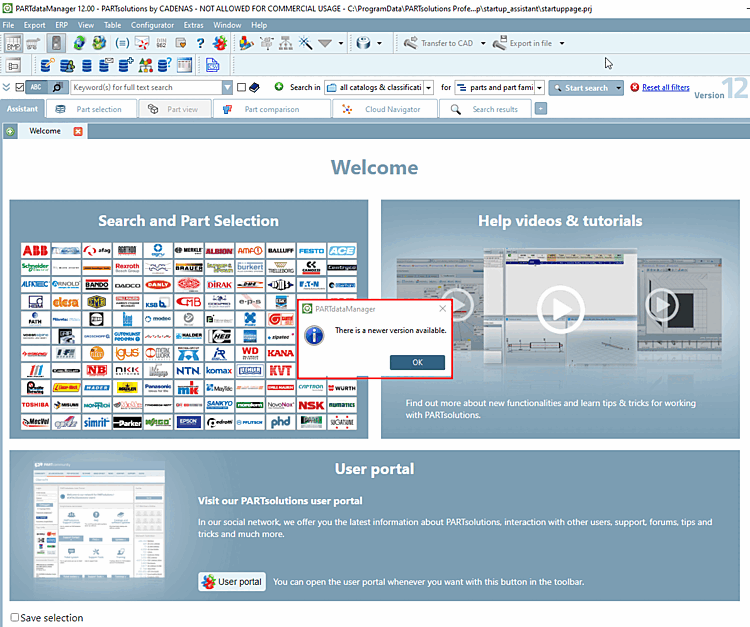
The automatic check can be switched off under Extras menu [Extras] > Settings... > Update notification can be switched off. To do this, deactivate the Enable automatic update notification [Activate automatic update notification] option.
!["Activate automatic update notification [Activate automatic update notification]" option](https://webapi.partcommunity.com/service/help/latest/pages/jp/partwarehouse/doc/resources/img/img_8ce6af4f53d44373981c0e815daedeeb.png)
The
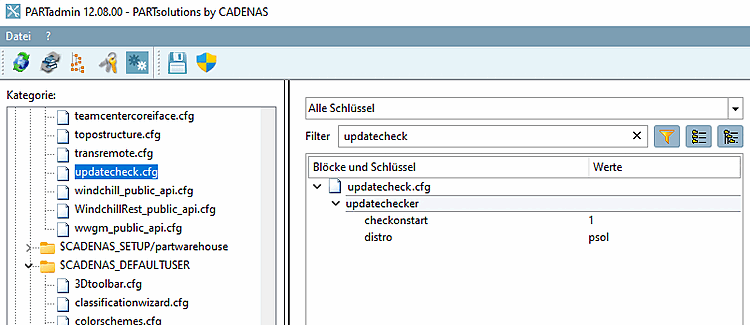
The setting is saved under $CADENAS_USER, in which
Configuration file updatecheck.cfg, block updatechecker, key checkonstart.
In the Help menu [Help] > menu item Check for update... menu item, you can perform a manual check at any time.
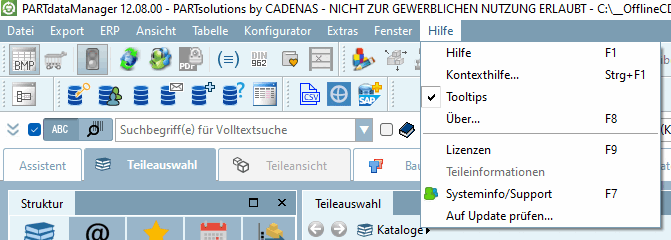
-> A corresponding message then appears.
![Example 1: "There is no newer version available. [There is no new version available.]"](https://webapi.partcommunity.com/service/help/latest/pages/jp/partwarehouse/doc/resources/img/img_ceb21334bd034e1eafe5a55e21673bfe.png)
