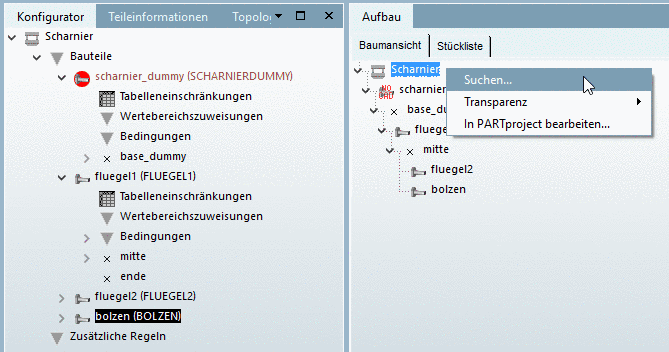
Search...
(Context menu
under Assembly ->
Tree view):
The search shall ease finding of parts,
connections
points and errors in large assemblies.
After
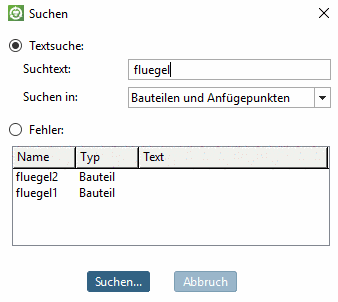
click on Search... the
dialog box Search is
opened.
Either
select the option Text search or
Error.
Text search:
Enter
the Search text.
In the
list field under Search in,
choose between:
Error: Errors are marked with the
respective icon  in the Tree view. If you want to search for
erroneous parts, then enable the option Error.
in the Tree view. If you want to search for
erroneous parts, then enable the option Error.