5.17.3.1. Catalog Update (Tutorial) - Example 1 5.17.3.1.2. Status after updating to Bikecompany V2 and before
processing with Update Manager |  |
| Prev | Next |
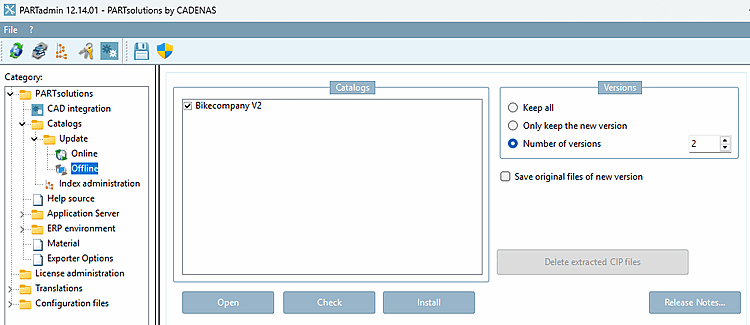
Install Bikecompany V2 by first loading the catalog by clicking " ," and then clicking " ."
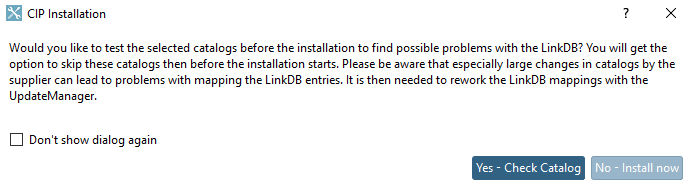
-> The " CIP Installation " dialog box opens.
In this example, we are using the option . For information about the option see Section 5.17.2, “Standard check for mapping issues in the LinkDB (PARTadmin > Catalogs > Update > Offline) ”.
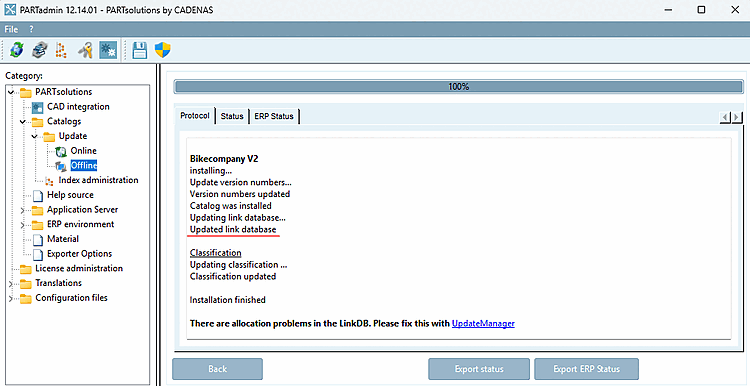
Make sure that the message " Link database has been updated [Updated link database] " appears in the log dialog.
If this message does not appear, it means there was no connection to the link database during installation.
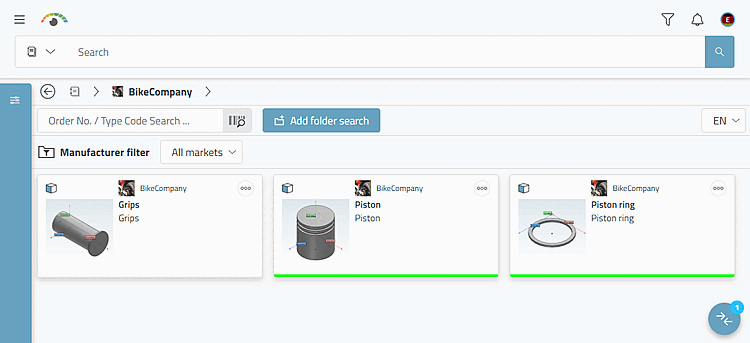
Do not switch to the "Link Manager" or "Update Manager" dashboard just yet. To gain a better understanding, take a look at the situation in PARTlinkManager and 3Dfindit. However, the changes will then be made in the Update Manager, as described at Section 5.17.3.1.3, “Editing in Update Manager ”.
So, first open PARTlinkManager and click the button to refresh the view.
In the PSOL [PSOL Project] column filter, enter "bike*" to display only the rows for the projects you want to edit.
Current Status [Active status] and Requested Status [Requested status] Before Processing in the Update Manager
The current version contains only 6 records ("Speiche" is no longer included). The records from the old version are identified in the "PSOL Project [PSOL Project] " column by the version number in the project name. The current version does not include a version number in its name.
" Current Status [Active status]" column:
For old projects, "Approved [Released]" is still displayed before they are processed by the Update Manager.
For current projects, "Locked" is displayed before they are processed by the Update Manager.
Compare the state after processing at Fig. „ Current status [Active status] and requested status [Requested status] after processing in the Update Manager“.
" Requested Status [Requested status]" column:
Old projects are marked as "Expired."
For current projects, "Renewed [Updated]" is displayed before they are processed by the Update Manager.
The "Speiche" project no longer exists (see Fig. „PARTdataManager catalog "Bikecompany" V1“).
The "Griffe" project has been added (status indicator is white because no ERP_PDM_NUMBERs have been assigned yet).
![Current Status [Active status] and Requested Status [Requested status] Before Processing in the Update Manager](https://webapi.partcommunity.com/service/help/latest/pages/jp/partwarehouse/doc/resources/img/img_632aead4b0e8416f990759dc5d6317e8.png)
![[Note]](https://webapi.partcommunity.com/service/help/latest/pages/jp/partwarehouse/doc/images/note.png)