|
When selecting a directory in the structure tree (for example Standards -> ISO -> Bolts) then on the tabbed page Suggestions, the common variables of this directory level are displayed.
Based on the displayed variables a Search filter assistant can be created. The following example shows the procedure.
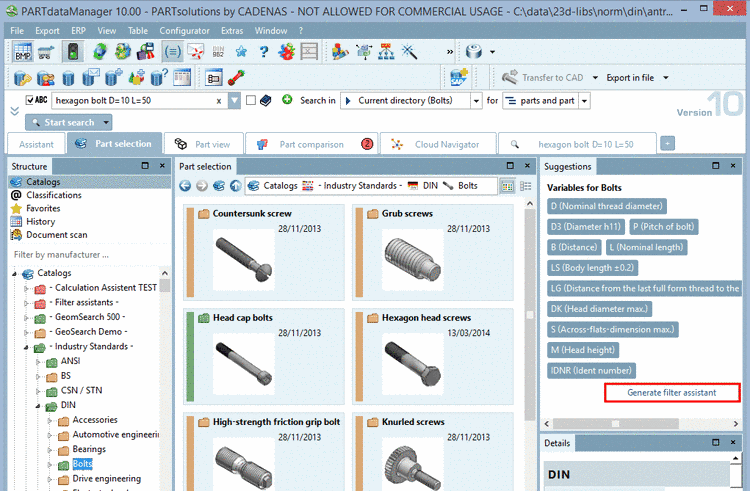
On the tabbed page Part selection -> subpage Structure -> Catalogs limit the search to Standards -> ISO -> Bolts
-> In the docking window Suggestions, the common variables of the selected directory level are displayed. Here, exemplarily "Variables for Bolts".
In the docking window Suggestions click on the button Generate filter assistant.
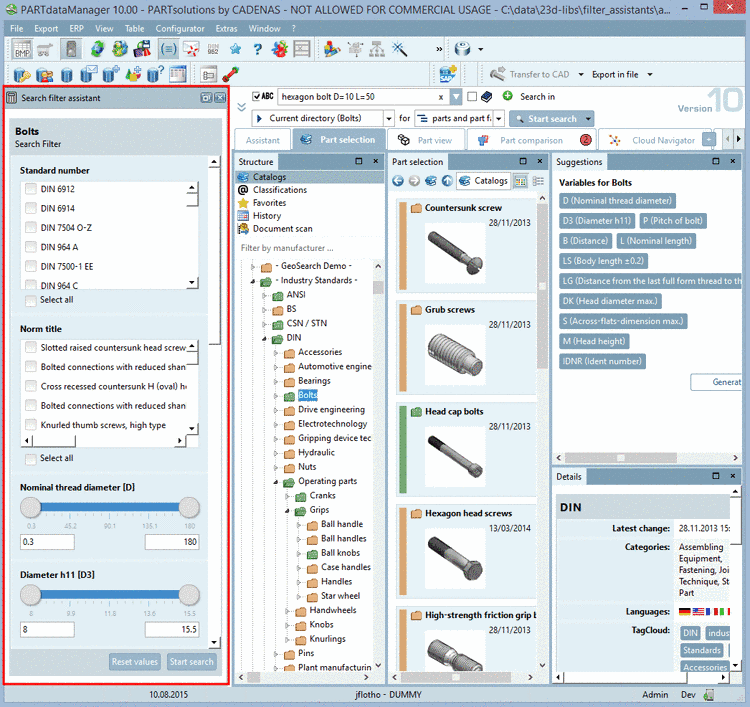
-> The search filter assistant is generated and shortly after the docking window Search filter assistant appears.
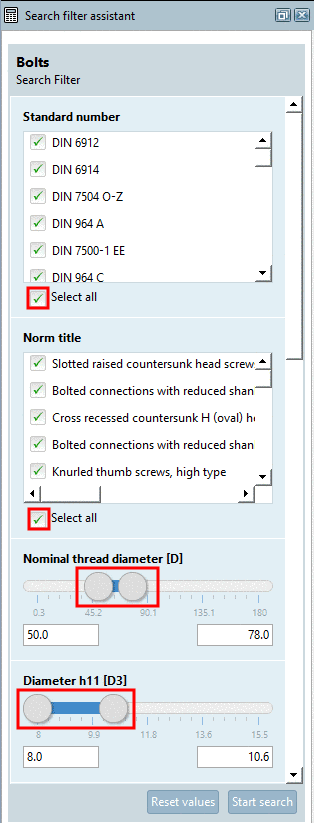
Now, in the Search filter assistant, perform the desired settings and click on .
Activate the options for Standard number and Norm title, if desired. Specify the desired variable values using the slider or by entering values.
-> The search is performed as a normal search and the results are displayed on the tabbed page Search results.
![[Note]](https://webapi.partcommunity.com/service/help/latest/pages/jp/partwarehouse/doc/images/note.png)