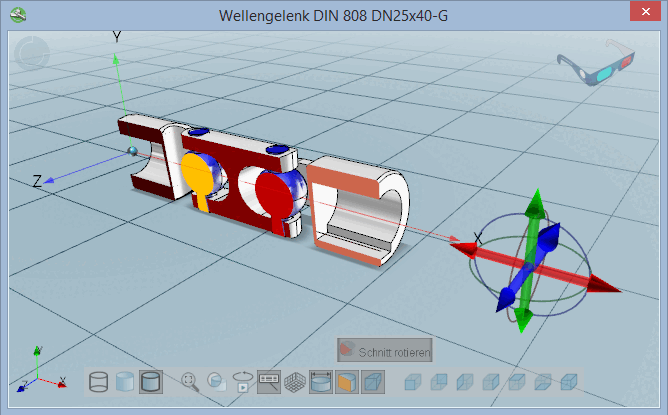
In the 3D view, define a sectional cut with the desired offset to zero plane.
Click on the corresponding button in the toolbar  or alternatively on the command Define section plane [Define section cut...]... command in the context menu of the 3D window.
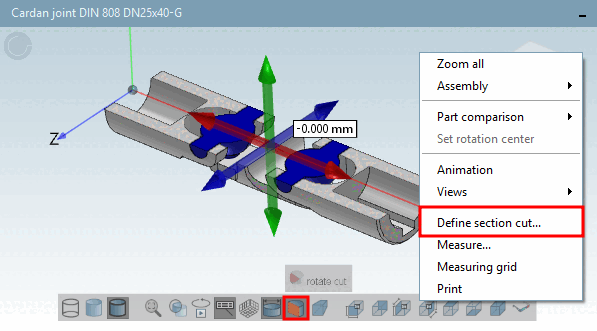
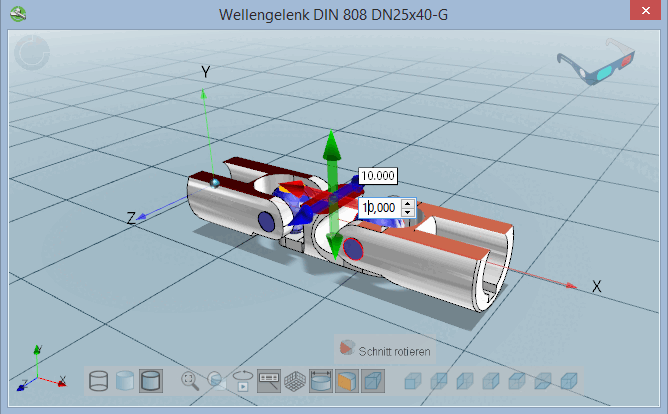
After calling the section cut a navigation cross with 6 arrows is displayed.
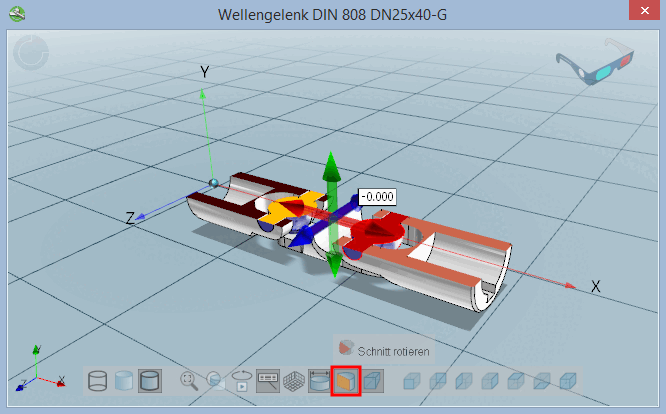
Choose a sectional plane by clicking on the respective arrow.
-> The cut is adjusted at once.
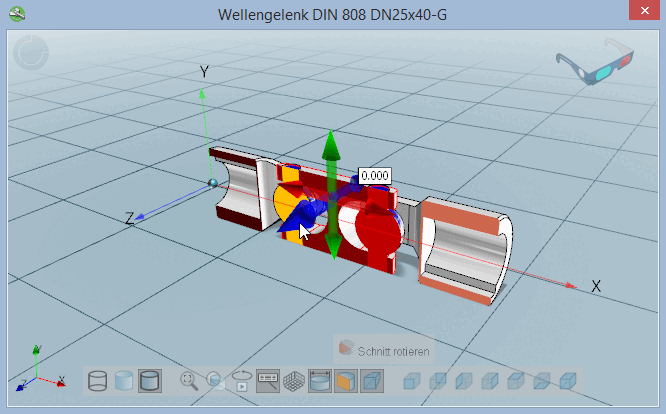
Move the sectional plane with pressed mouse key or by entering the desired value in the input field or via arrow key in the input field.
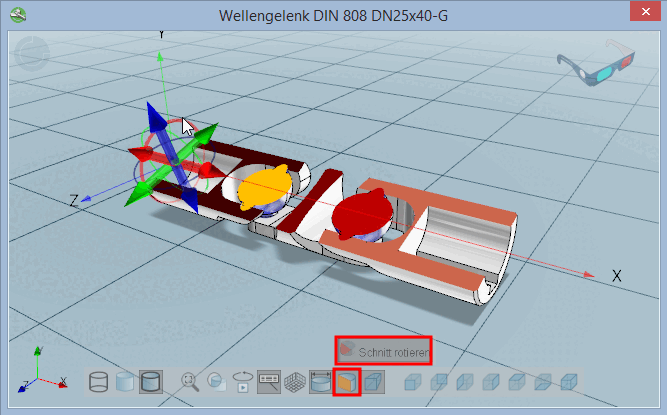
After clicking on the Rotate section [rotate cut] button, additional rotation lines are displayed on the navigation cross.
Click on the desired line and rotate the cut.
![[Tip]](https://webapi.partcommunity.com/service/help/latest/pages/jp/partwarehouse/doc/images/tip.png)