

You can also use SSL encryption for all requests to the PARTapplicationServer [16] use.
If the HTTPS port [HTTPS-Port] and/or SSL service port [SSL-Service-Port] checkboxes are activated, the SSL dialog area is also activated.
The standard Microsoft certificate management is completely supported and the regular management interface is displayed.
You can select certificates that have already been created in the list field under Hostname [Host name].
Detailed information on this can be found under Section 1.4.5.8.1.6.1, “Provide certificate via Windows certificate store ”.
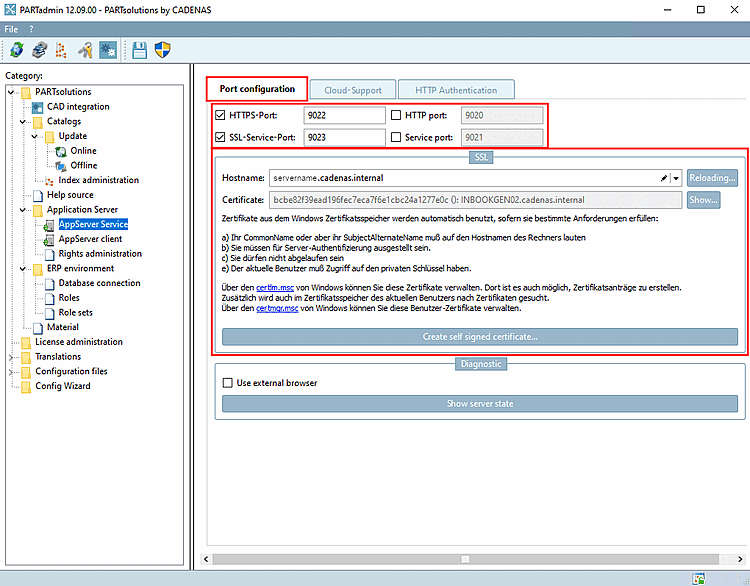
You can select administratively stored certificates in the list field under Hostname [Host name].
![Tabbed page "Port configuration [Port configuration]"](https://webapi.partcommunity.com/service/help/latest/pages/jp/partwarehouse/doc/resources/img/img_08a7514e58a749ed84ca9df830ddc684.png)
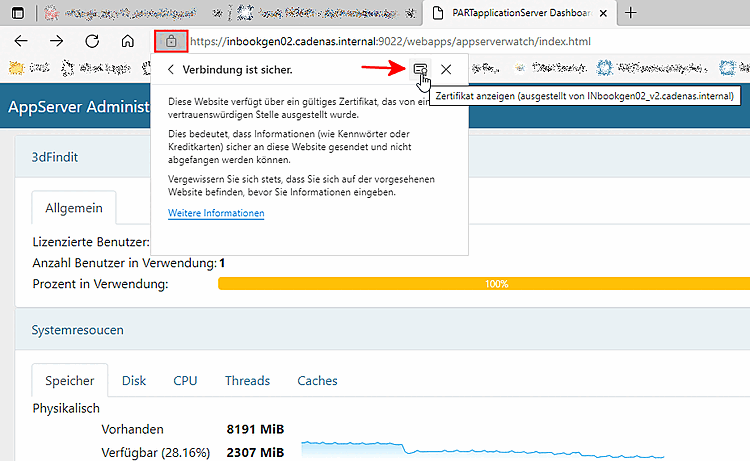
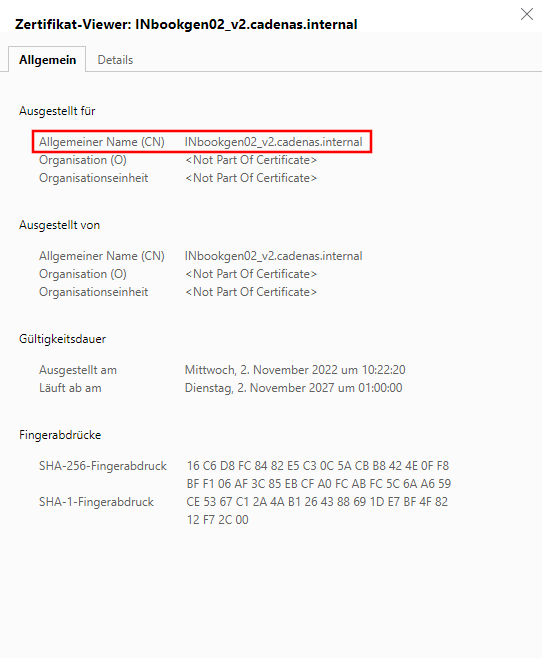
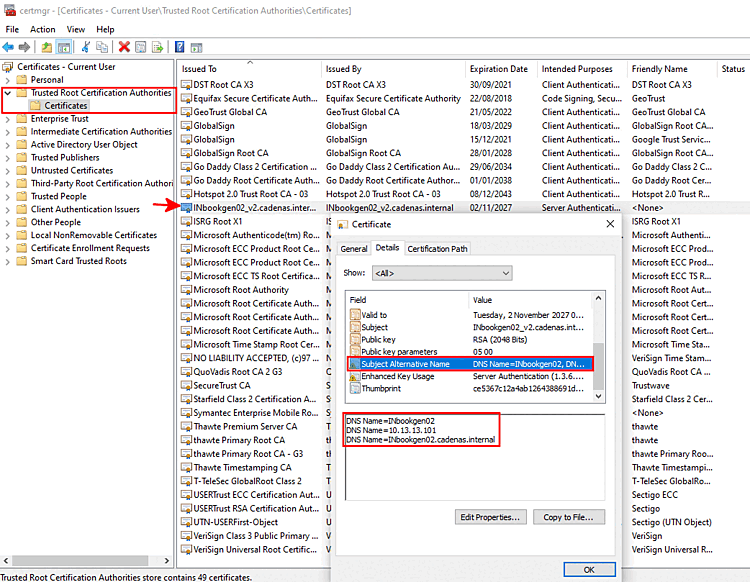
However, you can also request new certificates, which are then also displayed in the list field under Hostname [Host name].
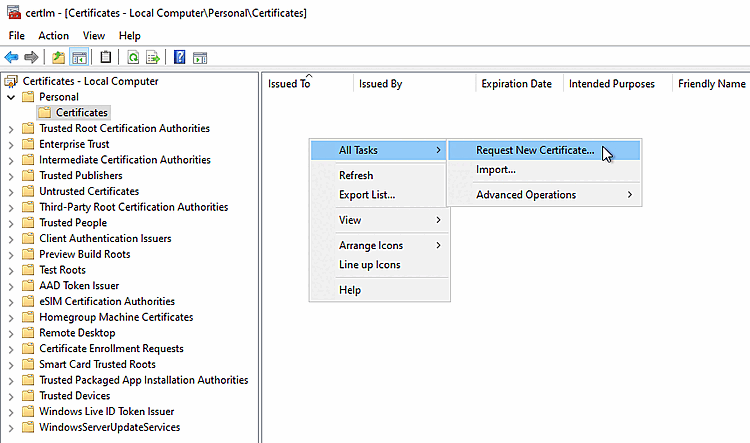
On the right, open the context menu and there, under "All Tasks" click on the command "Request New Certificate...".
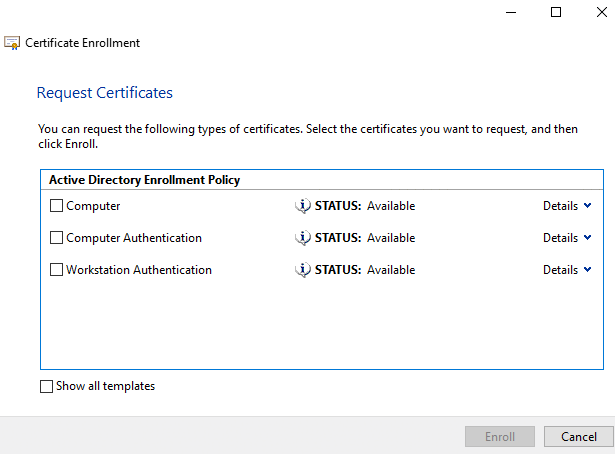
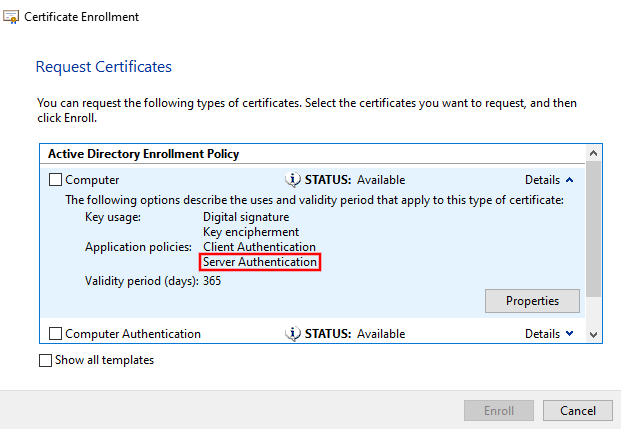
Then on the page "Active Directory Enrollment Policy" select a certificate and pay attention that under "Details" -> "Application Policies" the entry "Server Authentication" is available.
How to import the certificate sent back from CA on the client?
See chapter"Authentication" .
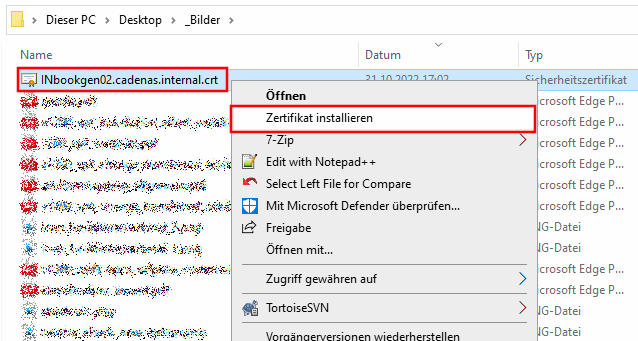
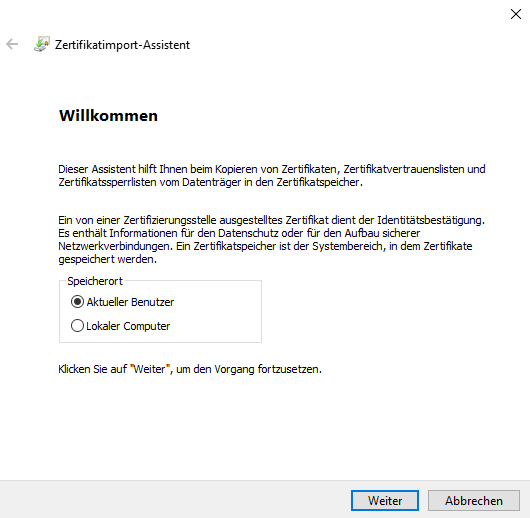
-> Der Zertifikatimport-Assistent wird geöffnet.
[16] SSL (Secure Sockets Layer) is a hybrid encryption protocol for secure data transmission on the Internet.