会社案内及び グループ企業の案内等
部品メーカー向け次世代型3Dビジュアル検索エンジン
製品及びソリューションのサポートページへはこちらから
facebookやtwitterソーシャルメディア等
製品・サービスについてのお問合せは こちらから
In connection to Part properties , the parts in the Assembly window will be displayed differently.
Parts that should neither be exported nor transferred into the BOM-list, do not show up in the Assembly window.
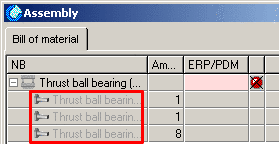
Parts without the Transfer to Bill of Material option, show up grayed (see image "NO BOM").
(The balls of a bearing, for example, are not transferred by default and are thus grayed.)
NO BOM
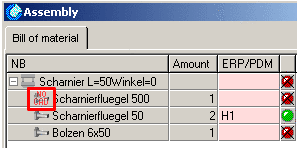
Parts with the No export option contain the button "NO CAD" (see image "NO CAD").
NO CAD