

Hide directory hides the selected directory from the tree of available directories (in the PARTdataManager ). This is useful, for example, for parts that only occur in assemblies and should not be individually selectable.
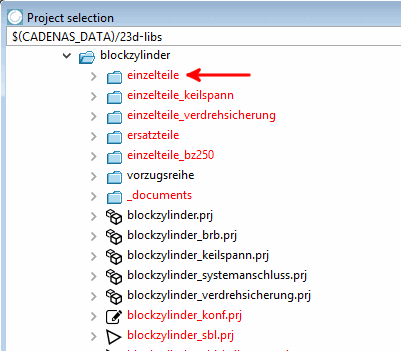
In the PARTproject itself, the directory is marked in red.
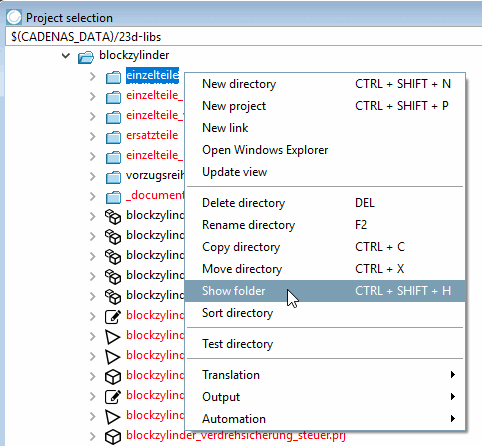
If you select the directory again and select the Directory visible [Show directory] command, this status is removed again.
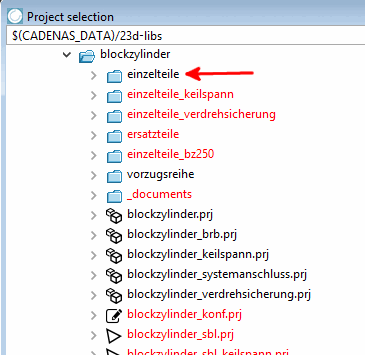
Initial situation: Directory "einzelteile" (single parts) shall be hidden.
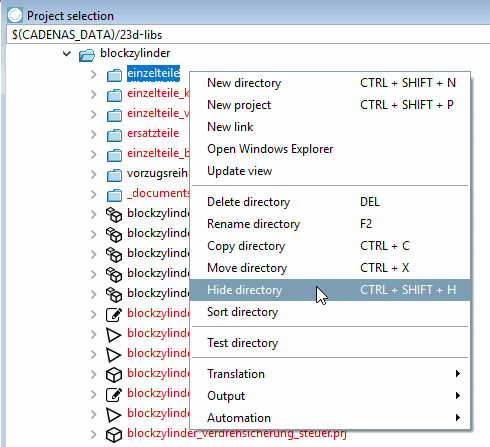
Select the directory to be hidden and click on the context menu command Hide directory.
-> Now the folder is displayed in red.
The Visible directory [Show directory] command makes the directory visible again if required and displays it in black again.
![[Note]](https://webapi.partcommunity.com/service/help/latest/pages/jp/partsolutions_user/doc/images/note.png)