

On the " Variable Management" dialog page, the display of project paths has been significantly improved to make it easier to work with large catalogs and long path specifications. The reason for this was that, in many projects, users could barely make out the full paths and often had to wait for tooltips to identify the desired entry.
You can now filter project paths.
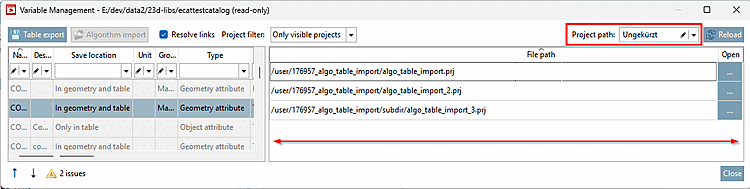
The separator (divider) between the sections can now be moved further to the left so that more space is available for displaying the project paths .
The following display modes for project paths have been introduced:
In addition, a free-text search/filter function has been integrated. This allows project paths to be filtered by any text string. Only paths that contain the entered search text are displayed.
For more details, see " Section 5.8.2.1.20.8, “ Manage variables ” in eCATALOG 3Dfindit You can find them there.