

You can target specific characteristics when searching, for example by specifying parameters in the full text search [Full-text search] or using a geometric search (3D) [Geometric search (3D)].
Example full text search [Full-text search]:
hexagon bolt L=30
→ The search results table is filtered accordingly. Below the table is Show compressed display, followed by the number of configurable products.
→ The Search filter option is displayed above the table.
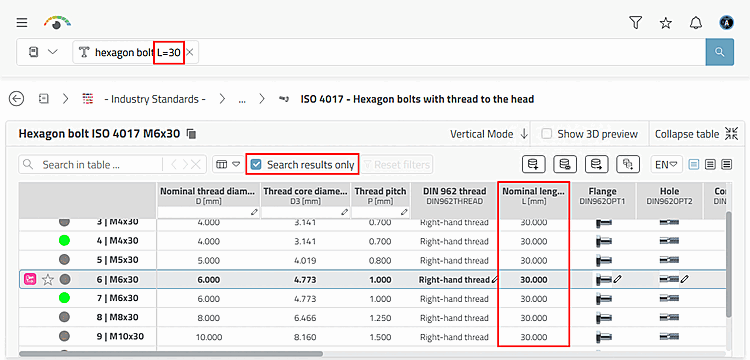
If you deactivate the Search filter option, all table rows are displayed.