|
Catalog separation enables the separation of a central catalog into several parts catalogs.
![[Note]](https://webapi.partcommunity.com/service/help/latest/pages/jp/partsolutions_user/doc/images/note.png)
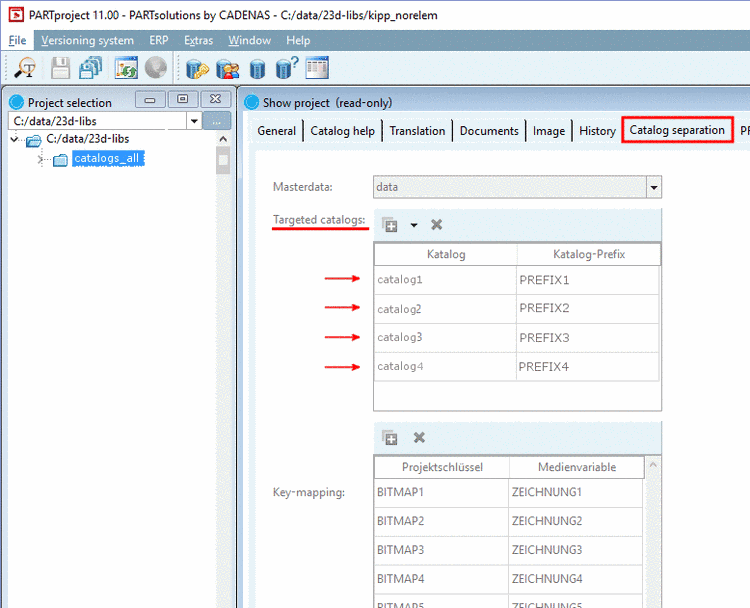
Select tab Catalog separation.
Under Targeted catalogs determine catalog name and prefixes.
Under Key-mapping determine Project key and media variable.
Project keys are in the project file and media variables are displayed on the tabbed page Documents.
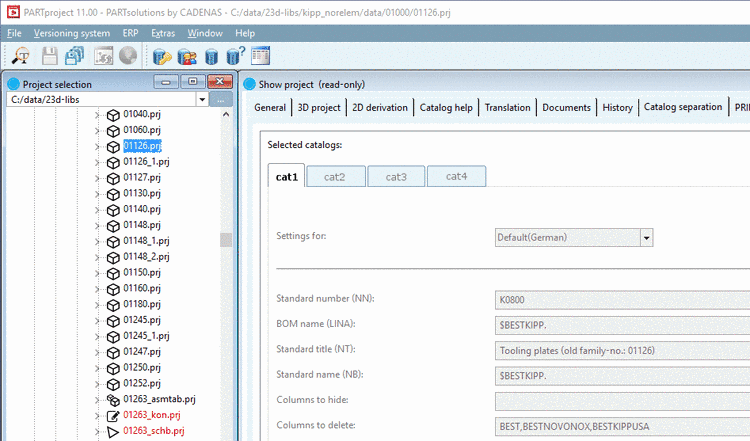
Once selecting a project in the index on the left, you can display details of each catalog on the right when selecting the respective tab, which are performed during separation.
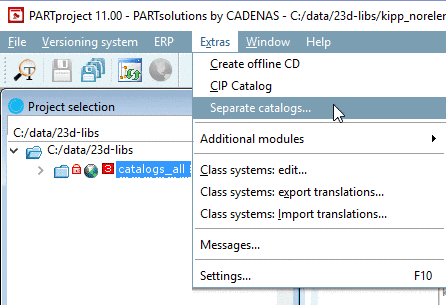
If all settings are made, in the Extras menu, click on Separate catalogs....