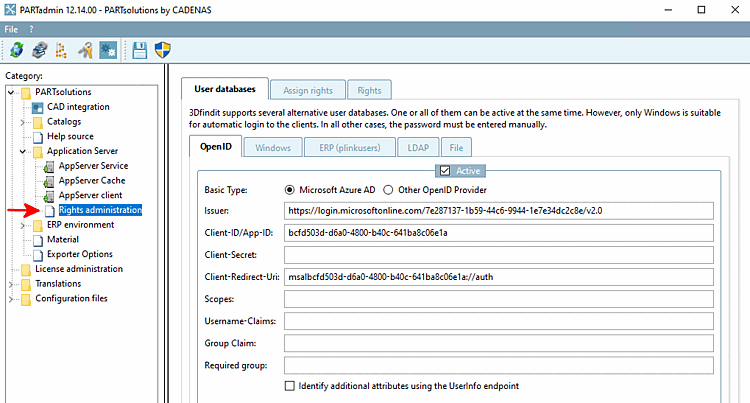
To support automated access to the server API, an API token mechanism was introduced. The goal is to enable scripts and integrations to perform secure authentication without having to use user passwords directly . In addition, the authentication infrastructure has been expanded so that multiple OpenID providers can be configured in parallel. Another advantage of a separate API token is that the API key can be easily deleted without compromising the user in question.
API Tokens for Automated Access
API tokens serve as the recommended authentication method for script-driven REST API access. They are associated with an existing user account and inherit that account's permissions. This allows automated applications to access the API on behalf of a user without having to know or store the user’s password.
Unlike Basic Authentication, which involves transmitting a username and password, API tokens can be managed independently of the user's password. If a token is compromised, it can be revoked and regenerated without requiring any changes to the user's account.
An API token consists of a public token ID and a secret [Secret].
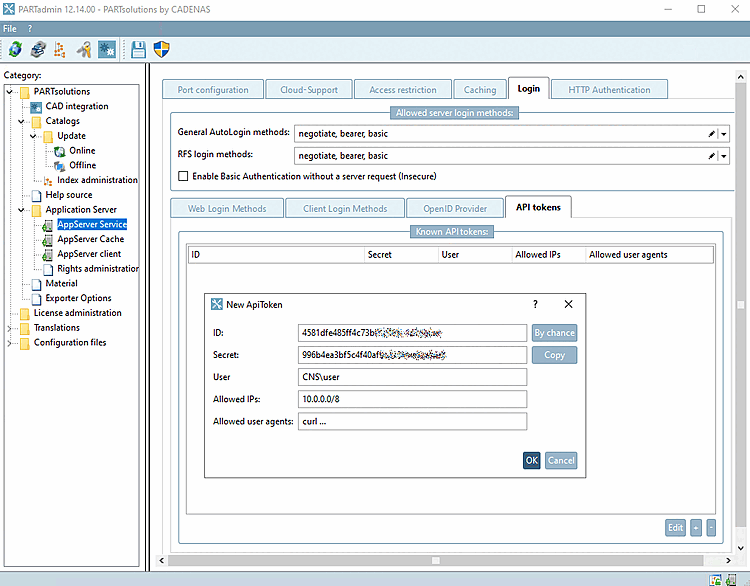
Use the " " button to generate an ID and a secret.
Be sure to enter a user. All users listed in the Rights Management section [Rights administration] can be entered here.
In addition, API tokens can optionally be restricted, for example to:
These restrictions reduce the risk of abuse and enable controlled use of automated access.
Use the " button to copy the ID, secret, and the remaining settings to the clipboard.
The secret [Secret] is displayed only during creation and cannot be read afterward. This prevents login credentials from being disclosed later.
![[Note]](https://webapi.partcommunity.com/service/help/latest/pages/jp/partsolutions_user/doc/images/note.png)
After confirming with , the entry is made.

Advanced OpenID Authentication
The extensions are now available via a graphical user interface. This eliminates the need to manually edit configuration files.
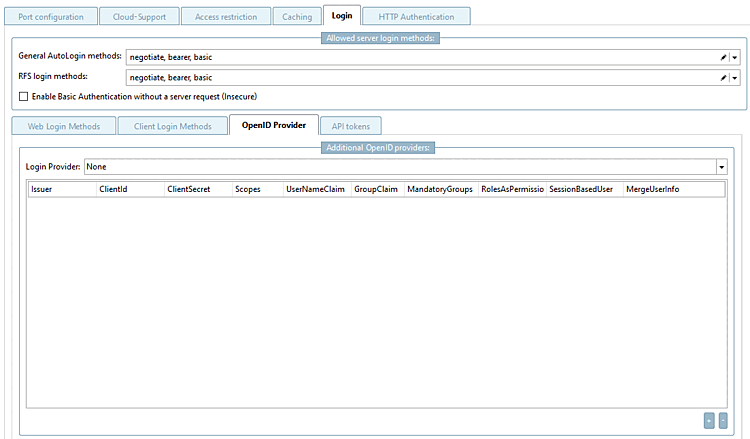
Enable Basic Authentication without a server request (Insecure) [Enable Basic Authentication without a server request (Insecure)]: If this option is enabled, the username and password are transmitted in plain text.
Login Provider: For AppServer solutions, there is exactly one OpenID provider, which is configured here. This is the OpenID provider that is displayed during the 3Dfindit login.
In addition to the regular login provider [Login Provider], you can configure as many additional OpenID providers [OpenID Provider] as you like by clicking the button. This allows for the parallel support of various identity sources, which is particularly important for integrations and automation scenarios.
The configuration includes the following settings:
This way, you can configure additional providers regardless of the settings under Rights Management [Rights administration] > User Databases [User databases] > OpenID.