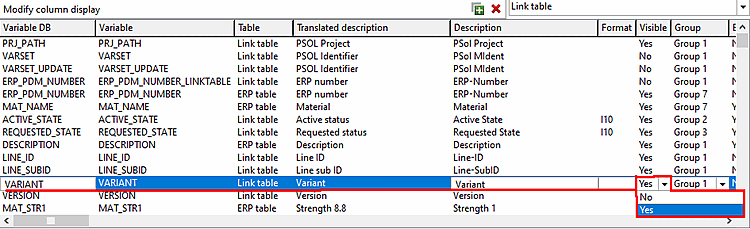
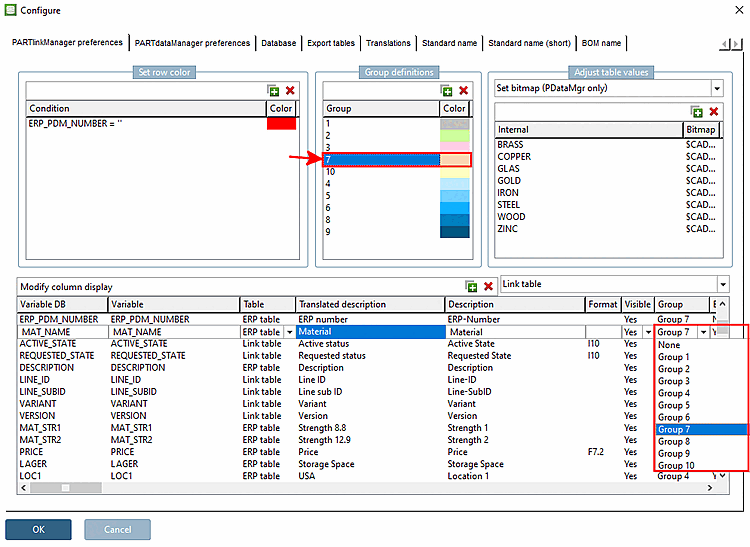
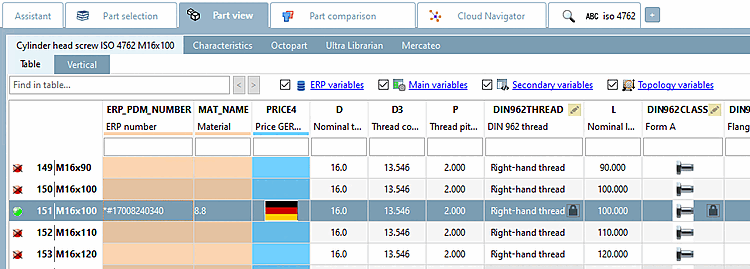
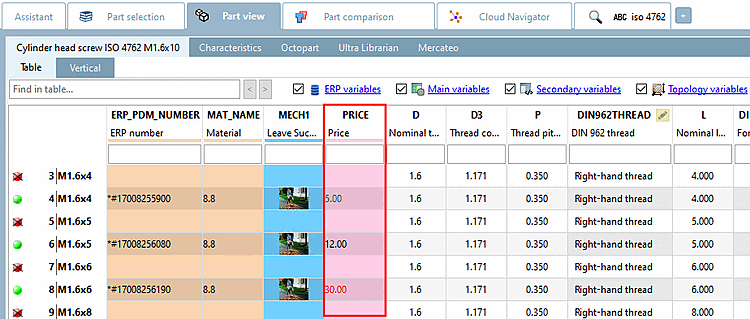
The configuration of the PARTdataManager View is configured under PARTlinkManager -> Extras -> Configure ERP environment -> PARTlinkManager settings [PARTlinkManager preferences] tab page.
Display texts in the column header
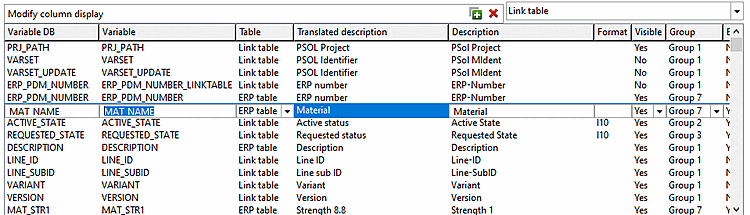
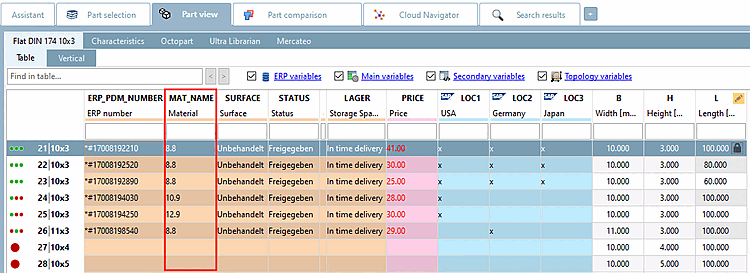
The entry under Variable appears in the PARTdataManager as the main entry.
The entry under Translated description (description [Description] if no translation is available) appears in the PARTdataManager as a secondary entry.
Visibility of columns in PARTlinkManager
Select Yes or No in the list field under Visible.
The selection refers to the visibility in PARTlinkManager.
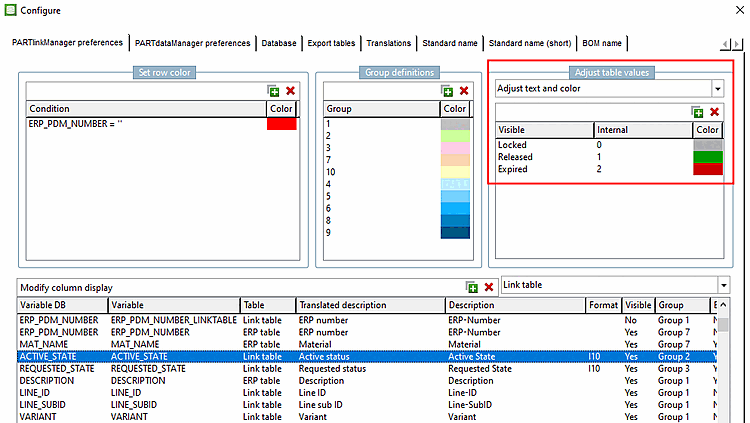
In order to determine the background color of a certain column proceed as follows:
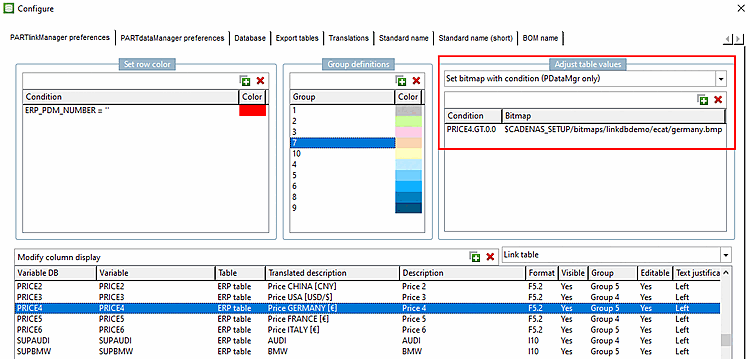
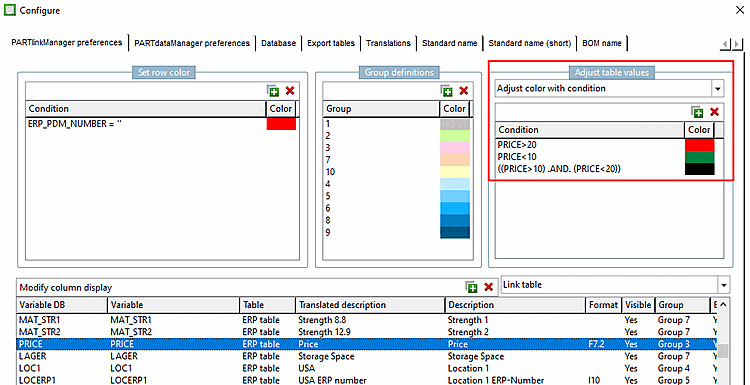
Set bitmap with condition (PDataMgr only)
Select the desired column (here in the example
PRICE4).Under Customize table values [Adjust table values], select the Set bitmap with condition [Set bitmap with condition (PDataMgr only)] option in the list box (PDataMgr only) [Set bitmap with condition (PDataMgr only)].
Enter the condition [Condition] and then double-click under Bitmap to select the desired image.
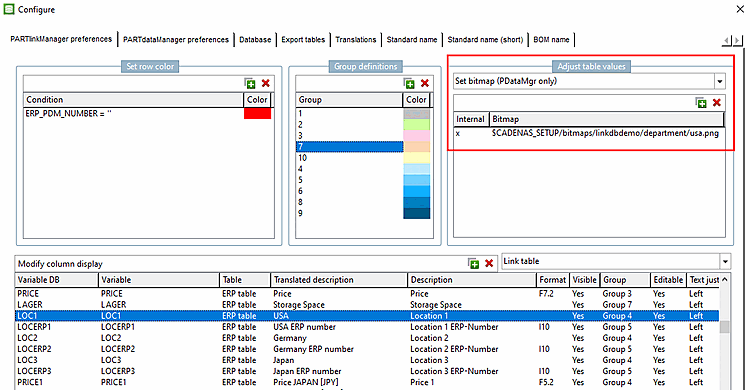
Select the desired column (in this example LOC1).
Select Customize table values [Adjust table values] -> Set bitmap (PDataMgr only)
Under Internal, enter the value at which the bitmap is to be displayed (here 'x' as an example) and double-click under Bitmap to select the desired image.
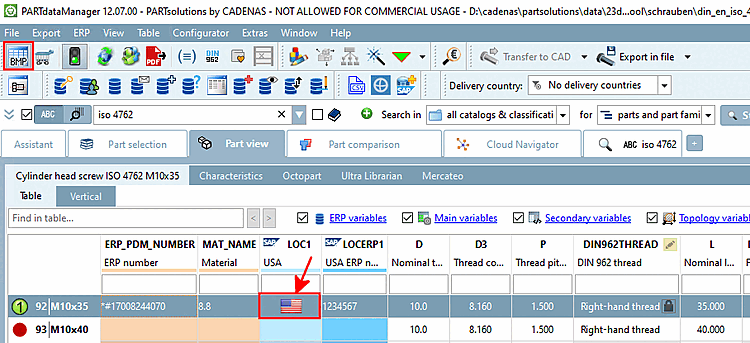
User: location, Role: LOCRED1 - Independently of the chosen display language, always the appropriate graphic is shown.
![[Note]](https://webapi.partcommunity.com/service/help/latest/pages/jp/partsolutions_user/doc/images/note.png)