

The photo search can be combined with the text search, the advanced search for geometric features and the color search.
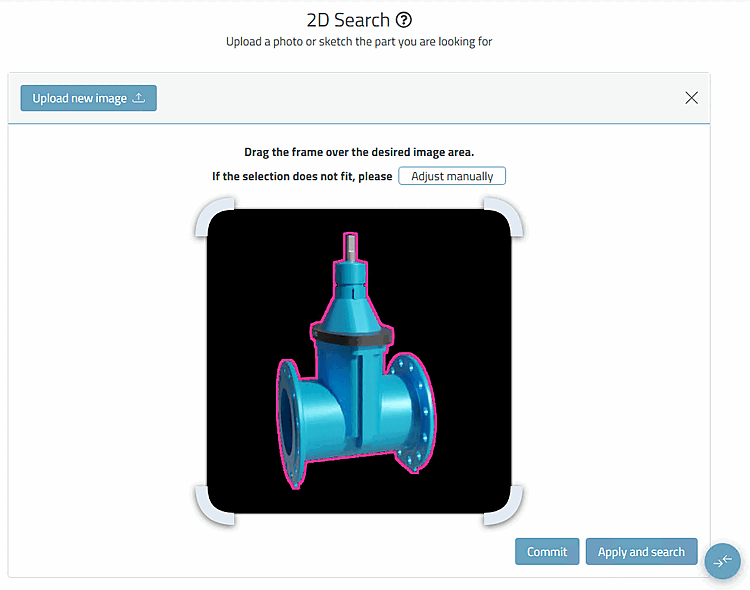
Click on the Photo search [Photo Search] dialog area and then select the desired photo file in the Explorer or drag it into the area.
→ The photo is transferred to the dialog area.
Do not click on the button now (this would execute the search immediately), but on the .
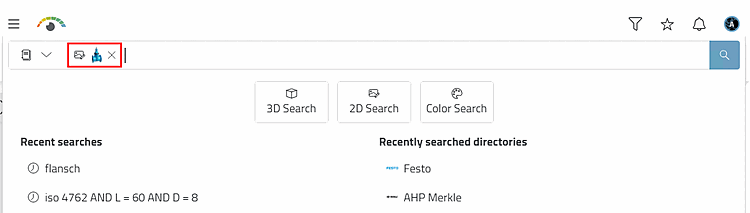
-> The photo search [Photo Search] is displayed in the search bar.
![Selection "Photo search [Photo Search]"](https://webapi.partcommunity.com/service/help/latest/pages/jp/partsolutions_user/doc/resources/img/img_73edea021697408381ae243a0c20dc12.png)
Details on the photo search can be found under Section 5.5.3.1, “ Photo search ” in ENTERPRISE 3Dfindit - User.